
Your cart is currently empty!
100% Secure Delivery Without Contacting The Courier
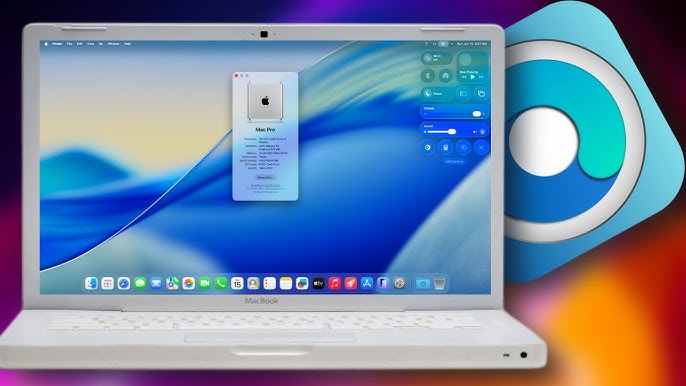
A Clever Fix for Poor Lighting on Video Calls
We’ve all been there — that unexpected video call where you’re stuck in a dim room, your face lost in the shadows of your MacBook’s screen. Traditionally, the fix has been a separate ring light or a hasty scramble for better lighting. But Apple’s newest software trick could make that scramble a thing of the past.
The latest macOS Tahoe 26.2 Developer Beta, released on November 12, introduces a new feature called Edge Light. As the name suggests, it transforms your MacBook’s display into a rectangular “ring light,” brightening your face during video calls — no extra accessories required.
Edge Light: How It Works
Edge Light is part of Apple’s expanding MacBook Video Effects Suite, which already includes tools like Portrait Mode, Voice Isolation, Studio Light, and other enhancements for FaceTime and video conferencing.
When activated, Edge Light creates a subtle glow around the edges of your MacBook display — illuminating your face evenly without covering key screen elements like the menu bar or the notch. The effect mimics the look of professional lighting but relies entirely on your screen’s backlight.
Currently, Edge Light is limited to Apple Silicon-powered MacBooks, suggesting that it relies on the Neural Engine for processing and dynamic adjustment.
Smart Lighting That Adapts to You

On MacBooks made after 2024, Edge Light can automatically activate when your surroundings dim — perfect for those late-afternoon calls when the daylight fades too soon.
Apple says the feature uses on-device intelligence to detect your face (or multiple faces) and adjust lighting accordingly. There’s also a temperature control slider to tweak the tone from warm and flattering to cool and bright, depending on your preference or environment.
Balancing Illumination and Eye Comfort
While Apple hasn’t shared exact lumen figures or brightness levels, Edge Light isn’t meant to blind you with intensity. Instead, it offers pleasing, low-glare illumination designed for visibility and reduced eye strain.
Apple’s engineers have reportedly optimized Edge Light so it won’t interfere with on-screen content — the glow automatically moves aside if your cursor approaches it, ensuring no menu items or interface elements are obscured.
Still in Beta, But Packed with Potential

Since Edge Light is currently available only in the macOS 26.2 Developer Beta, users can expect further refinements before the public release later this year. It’s not yet clear if Apple plans to bring the feature to iPadOS 26 or future Apple Silicon iPads, but the underlying technology certainly makes that possible.
There’s also some curiosity about how Edge Light interacts with the Micro LED panels found in recent MacBook Pros, like the 14-inch M5 model. Apple seems to have carefully balanced brightness and color accuracy to avoid harsh lighting while maintaining display quality.
Is It a True Ring Light Replacement?
While Edge Light might not fully replace a dedicated Amazon-style ring light or professional-grade LED panel, it could be a game-changer for casual users. It’s fast, built-in, and always available — perfect for those spontaneous FaceTime calls, quick meetings, or late-night check-ins.
Even if it doesn’t match the output of a physical light source, the convenience factor alone could make Edge Light one of macOS Tahoe’s most practical new additions.
Final Thoughts: Bright Idea, Literally
Apple’s Edge Light might seem like a small feature, but it solves one of the most common video call frustrations — bad lighting — with elegant simplicity. By using your MacBook’s existing display hardware and smart software tuning, Apple has found a way to make everyone look just a bit better on camera.
It’s another subtle yet clever example of Apple’s ongoing push to make its devices more intelligent, more human-aware, and increasingly self-sufficient — one glowing border at a time.
Related Posts :-
-

Facebook Introduces AI Writing Tools and Animated Profile Photos to Refresh the Social Experience
Facebook is rolling out a fresh set of features powered…
-
LG Boosts Dolby Vision Brightness on Flagship OLED TVs With Free Firmware Upgrade
LG has rolled out a free firmware update for its…
-

PocketBook’s InkPad One Challenges Kindle Scribe With Open Linux Platform and Note-Taking Power
PocketBook has unveiled the InkPad One, a new Linux-powered e-reader…
Leave a Reply