Apple HomeView is on sale now at $299 for the tabletop model in the US. Pricing for India hasn’t been confirmed. It’s Apple’s first smart display — not a smart speaker with a screen, but a screen with speakers built in. That distinction matters.
As The Verge’s follow-up review makes clear, the HomeView’s audio performance is functional, not flagship-grade, and its software logic treats non-Apple audio apps as afterthoughts. <br><br>Sound-wise, the tabletop HomeView sits between the HomePod Mini 2 and the full-size HomePod. It’s louder and has more bass than the Mini 2, thanks to two drivers in the display plus a dedicated woofer and two passive radiators in its base.
But the display itself partially covers the woofer, muddying output. Clarity and dispersion suffer: the Mini 2’s 360-degree sound fills a room more evenly, while the HomeView’s directional output, even with Spatial Audio and Dolby Atmos support, feels narrower and less immersive. <br><br>The wall-mounted HomeView is a different beast. With only two drivers and computational audio tuned “specifically for on-wall placement”, it sounds thin.
Bass is “basically non-existent”. The Verge explicitly says it’s not recommended for music listening, but works fine for doorbell intercoms or quick voice queries. <br><br>No stereo pairing. You can group multiple HomeViews (or HomeViews with other AirPlay speakers) for multiroom playback, but you can’t pair two HomeViews as left/right channels, nor pair one with a HomePod or Mini.
For $300, The Verge recommends two HomePod Minis over one HomeView if sound quality is your priority. <br><br>The screen changes everything else. It acts like a physical jukebox: scroll through Apple Music, Podcasts, or audiobooks with touch. No voice command needed. No fumbling for your phone.
That’s where the HomeView justifies its price, not as a speaker upgrade, but as a control surface. <br><br>AirPlay handoff works as expected: tap your iPhone to the HomeView, and audio (or video, newly supported) transfers instantly. It worked across Apple TV, Apple Music, Spotify, Pocket Casts, YouTube Music, FaceTime, and phone calls, though calls occasionally dropped.
YouTube and YouTube TV videos handed off cleanly despite lacking native apps. Netflix and Prime Video? Audio only, unless you open them in Safari, where video plays. <br><br>But handoff is aggressive. Hold your phone within a few inches, and the HomeView will try to steal playback, same behavior as HomePods. <br><br>Worse: no way to set a default speaker.
If you last played Spotify through a stereo pair of Minis in your office, the HomeView won’t remember that unless you select the track from the HomeView screen itself. Use Siri instead, say “Hey Siri, play ‘Femininomenon’ by Chappell Roan from Spotify”, and it defaults to the HomeView’s own speaker.
To route elsewhere, you must add “on Office”, turning a clean command into a clunky one. <br><br>Third-party apps are second-class. Spotify and Audible only appear on the HomeView when your iPhone is actively connected via your Apple ID profile, meaning only you can access them. They don’t show up for other household users.
And Spotify’s interface lacks a search box, citing “driving” use cases, even though the HomeView lives on your kitchen counter. <br><br>That’s the core tension: Apple built HomeView as a CarPlay-adjacent interface, not a standalone audio platform. It runs Apple’s native apps natively. Everything else rides shotgun, visible, functional, but deliberately limited. <br><br>The Verge’s verdict is blunt: if you want better sound, buy two HomePod Minis.
If you want a screen to browse, control, and glance at media without grabbing your phone, that’s the HomeView’s lane. It ships now. No Indian pricing or launch date has been announced.
RRFiled by The Reviews Roundup Desk
What the reviews are saying: verdicts on new devices from the outlets that tested them, summarised and credited to each. This desk does not test products itself.
More from this desk →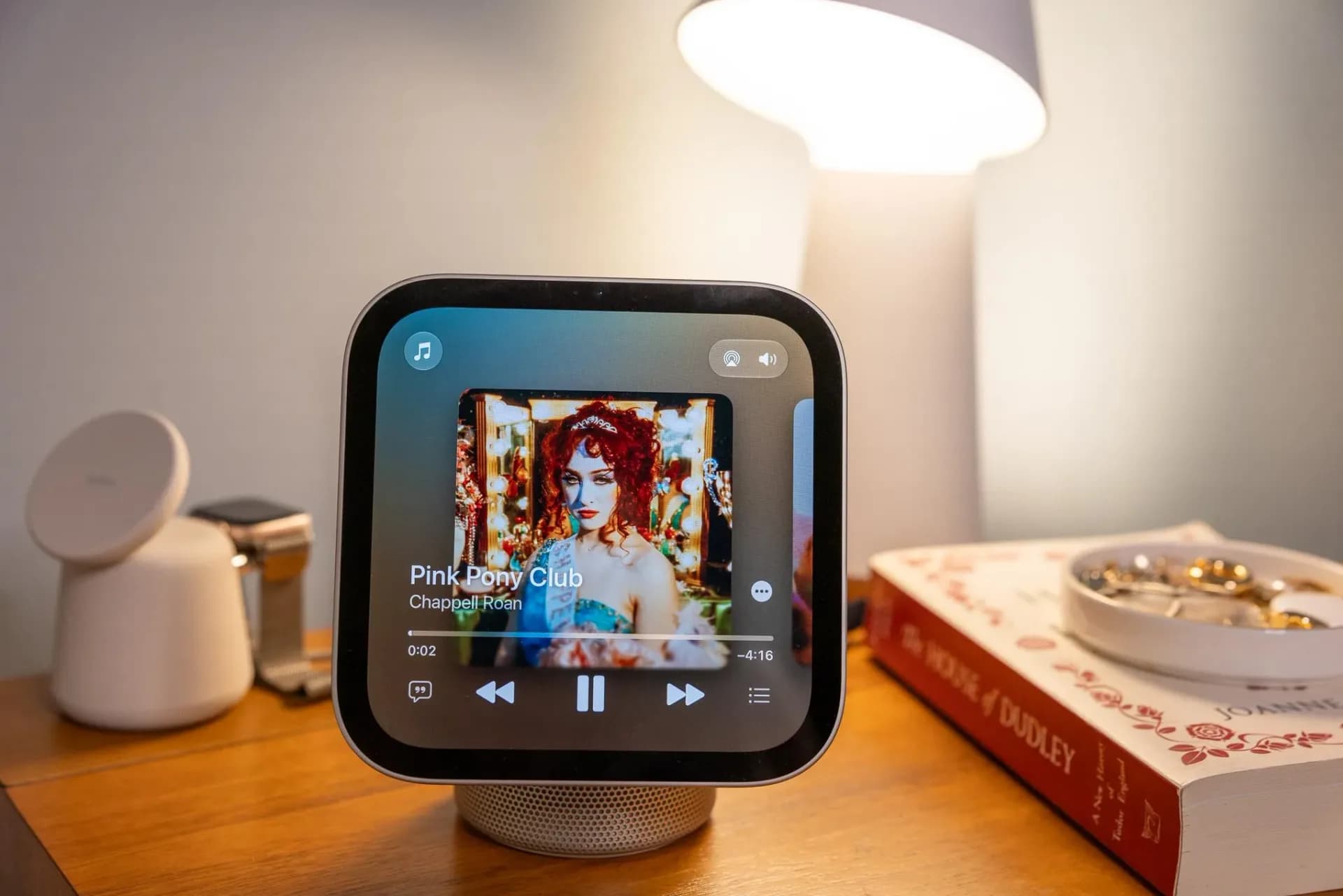


Be the first to comment
Join the argument. No password, just your email or a passkey.