CachyOS has been identified as the only Arch-based Linux distribution capable of serving as a practical Windows 11 replacement for everyday users — not just Linux veterans.
That’s the conclusion of a hands-on comparison published by How-To Geek on November 28, 2026. The outlet tested three top-ranked Arch derivatives from DistroWatch: Omarchy, EndeavourOS, and CachyOS. Each was evaluated on install simplicity, desktop familiarity, maintenance overhead, and suitability for users migrating directly from Windows 11.
EndeavourOS offers a graphical installer and fast setup but ships with a minimal base system, no preinstalled office suite, media player, or desktop customization tools. It leaves users to manually configure everything from display settings to audio routing. That makes it ideal for learners who want to understand Arch internals, but unworkable for those seeking plug-and-play functionality.
Omarchy, backed by Ruby on Rails creator David Heinemeier Hansson, delivers heavy curation and AI-integrated workflows, but at the cost of usability for Windows refugees. Its default Hyprland tiling window manager removes title bars, disables mouse-driven window dragging, and replaces desktop icons with keyboard-only navigation. Users must memorize shortcuts just to open apps or switch workspaces. How-To Geek notes it takes “anywhere from a few days to a week” to adapt, and even then, the workflow remains alien to Windows habits.
CachyOS stands apart. It ships with KDE Plasma, a desktop environment that mirrors Windows 11’s layout: taskbar at the bottom, app launcher (like Start) on the left, system tray with clock on the right, draggable floating windows, and desktop icon support. No relearning required.
It also includes the CachyOS Hello utility, a GUI toolset for routine maintenance. Users can update the OS, clean orphaned packages, and re-rank mirrors without touching the terminal. More critically, CachyOS uses Btrfs with Snapper integration, automatically capturing system snapshots before updates. If an update breaks something, reverting takes two clicks.
That combination, familiarity plus safety, is what makes CachyOS the sole contender in this test that How-To Geek calls “a worthwhile Windows 11 alternative.”
The report does not claim CachyOS replaces Windows 11 for all use cases, no mention of driver compatibility with gaming peripherals, enterprise authentication, or Windows-specific software like Adobe Creative Cloud or Microsoft Teams desktop. Nor does it compare performance against Windows 11 on identical hardware.
Still, for users actively searching for "windows 11 pro" alternatives or looking up "windows 11 key" to avoid licensing costs, CachyOS now enters the conversation as a technically robust, beginner-accessible option, especially for those already drawn to Arch’s rolling-release model but unwilling to sacrifice usability.
CachyOS has held the top spot on DistroWatch since mid-2025. Its latest stable release is available for download at cachyos.org. No pricing applies, it’s free and open source.
CDFiled by The Computing Desk
Laptops, desktops, processors, graphics cards and the operating systems that run on them.
More from this desk →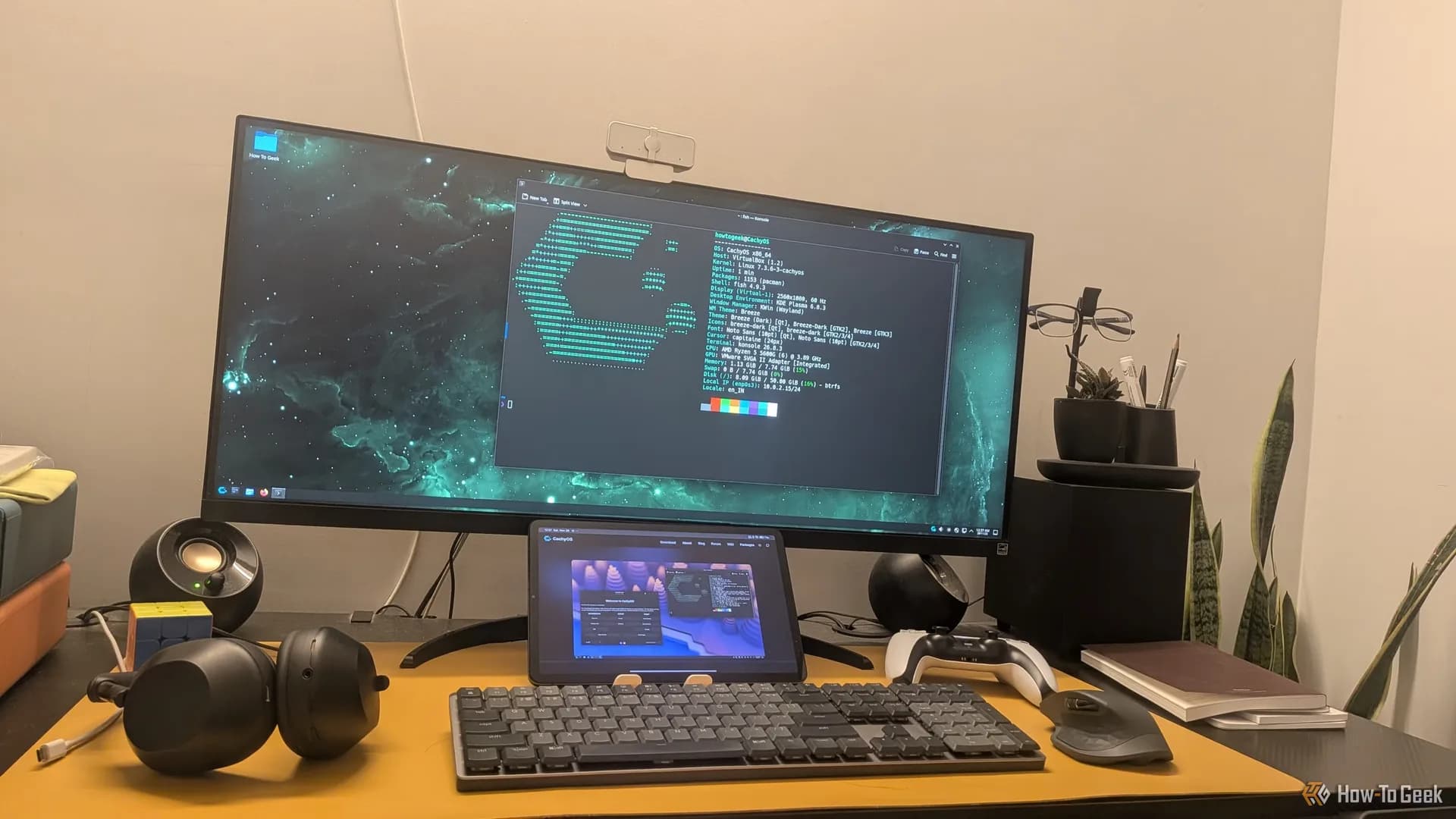


Be the first to comment
Join the argument. No password, just your email or a passkey.