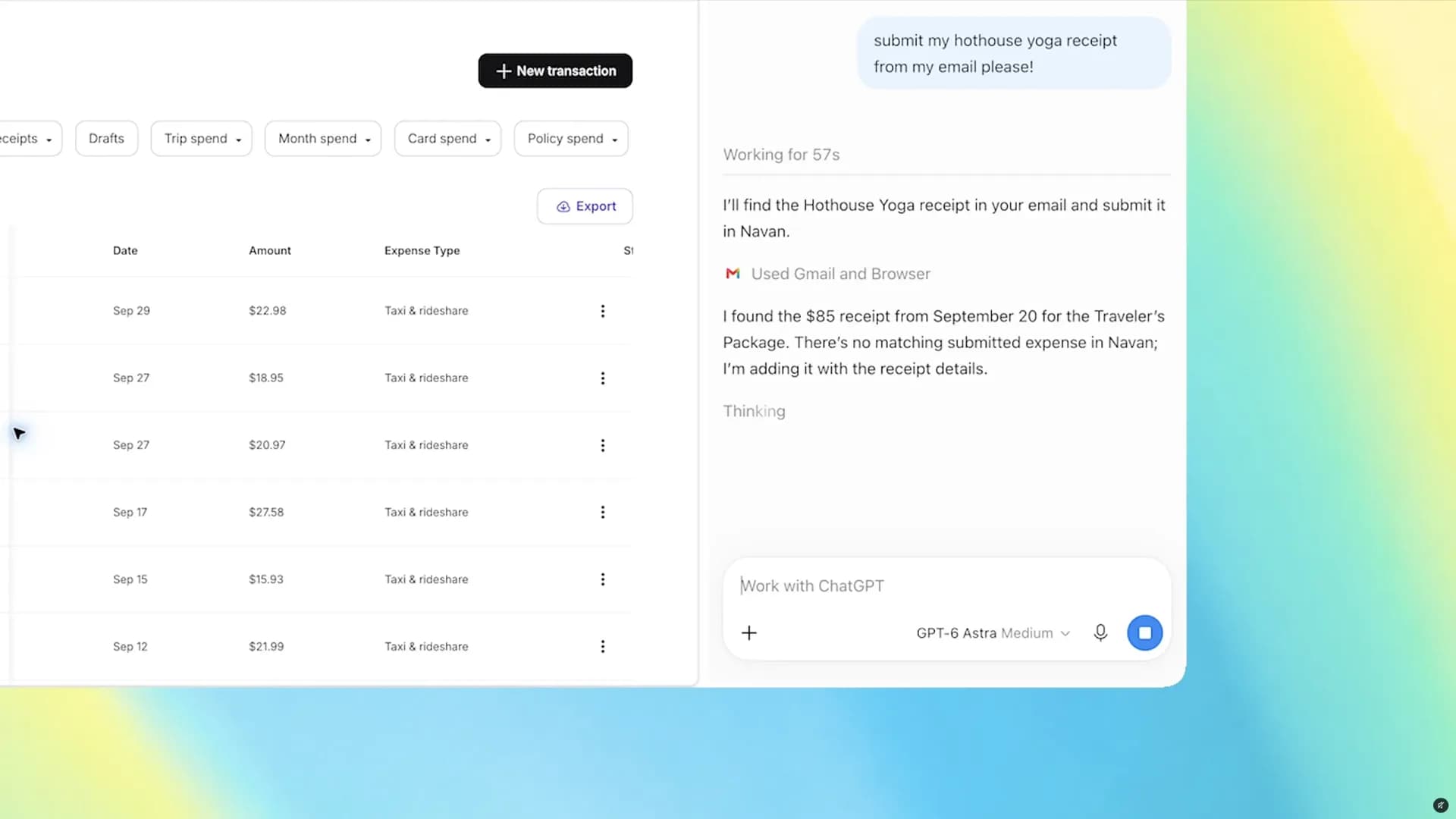
OpenAI pushed a significant update to its ChatGPT Chrome extension on October 15, adding a sidebar that can read across a user's open tabs and, for subscribers to ChatGPT Work, take actions on websites without the user leaving the page.
The company described the change as bringing "the power of computer use to anyone who uses Chrome" in a post announcing the rollout. In the standard Chat mode, ChatGPT can now look across whatever tabs a user has open and pull information from them to answer questions. Switch to ChatGPT Work, and the assistant can go further: sending messages, filling out forms, downloading files, and grouping a cluttered tab bar into something more organized.
Getting it running means installing the official ChatGPT extension from the Chrome Web Store and signing into an existing account. The sidebar then sits alongside whatever page is open, and a user has to grant permissions before ChatGPT can read across multiple tabs or act on a site.
What the agent mode actually does
TechRadar put the agentic mode through a limited test, asking ChatGPT Work to complete a registration form for a free webinar while instructing it explicitly not to submit anything. According to that test, the assistant paused partway through, asking for clarification when it hit an industry category it couldn't determine on its own, and the reporter still reviewed the completed draft before deciding whether to send it. That kind of check matters more than it sounds: a wrong field on a form is a minor annoyance, but letting an AI agent act on logged-in accounts without oversight is a bigger one.
TechRadar's reporting also flagged the obvious caveat with the Chat-mode tab reading: an AI assistant skimming several pages at once doesn't guarantee it gets every detail right, especially on sites with unusual formatting or information tucked behind interactive elements. A confident summary is not a substitute for checking the source when the details actually matter, whether that's a product spec or a price.
A fight over who owns the browser
The timing isn't an accident. Google has spent months wiring Gemini more deeply into Chrome, the browser it controls and the one more people use than any other. That gives Google's own assistant a home-field edge that OpenAI doesn't have. Pushing ChatGPT's capabilities, including tab awareness and now limited site actions, directly into Chrome is OpenAI's way of making sure its users don't drift toward Gemini simply because it's already sitting in the toolbar.
The practical upside for someone who already relies on ChatGPT is that it removes a step: no more copying text out of a browser tab into a separate chat window to ask for an explanation or a comparison. Comparing retailer listings across tabs, or cross-checking how different outlets covered the same announcement, becomes something the sidebar can do without switching windows, provided a user grants the needed permissions and still verifies anything that affects a purchase or a decision.
OpenAI hasn't said whether the tab-control features in ChatGPT Work will expand beyond their current scope, or whether equivalent capabilities are coming to other browsers. For now the update is live for Chrome users willing to install the extension and hand over the access it asks for.
ADFiled by The AI Desk
Models, assistants and the companies and chips behind them, reported from what was released and what was claimed, with the difference kept clear.
More from this desk →

Be the first to comment
Join the argument. No password, just your email or a passkey.