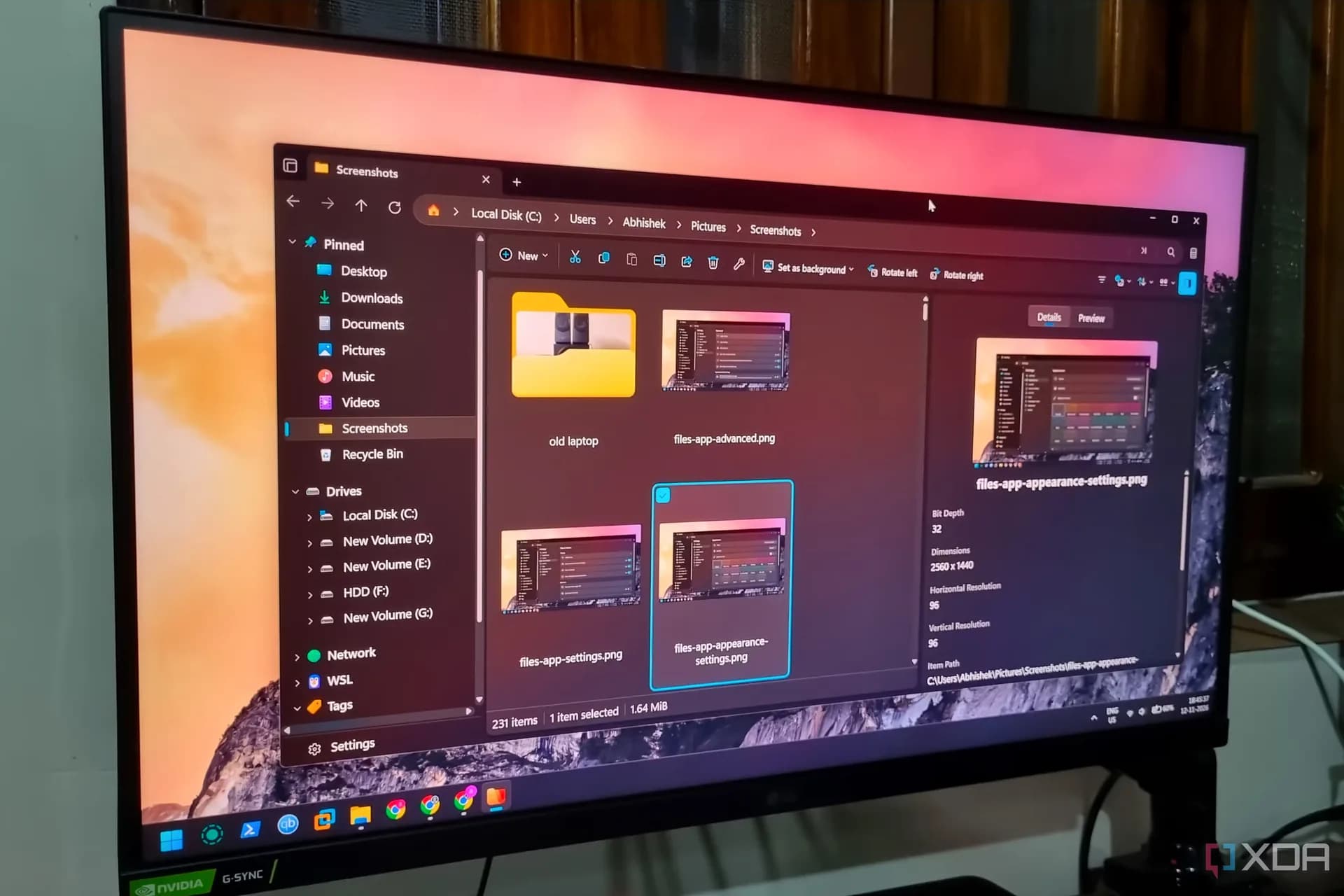
Files, an open-source file manager for Windows 11, is gaining traction as a full replacement for the built-in File Explorer — not because Microsoft’s tool is broken, but because Files delivers features Microsoft hasn’t shipped yet. It supports dual-pane browsing, tag-based file organization, column view for deeply nested folders, and a keyboard-driven Command Palette (Ctrl+Shift+P) for actions like emptying the Recycle Bin on demand.
It’s free. It’s open source. And it ships with UI customization no native Windows app allows, from accent colors and fonts to folder-size display and synced sort preferences across directories. The app’s interface is explicitly designed to feel native to Windows 11: clean borders, spaced drive icons, larger text, and a top-bar layout that puts controls, icon size, sorting, layout, within one click instead of buried in menus.
Unlike File Explorer, Files merges details and preview into a single toggle. Unlike File Explorer, it supports four preset tags (with user-defined ones possible) and filters files by location in real time. Unlike File Explorer, it doesn’t force users into separate windows to compare folders, its dual-pane mode works out of the box.
Be the first to comment
Join the argument. No password, just your email or a passkey.