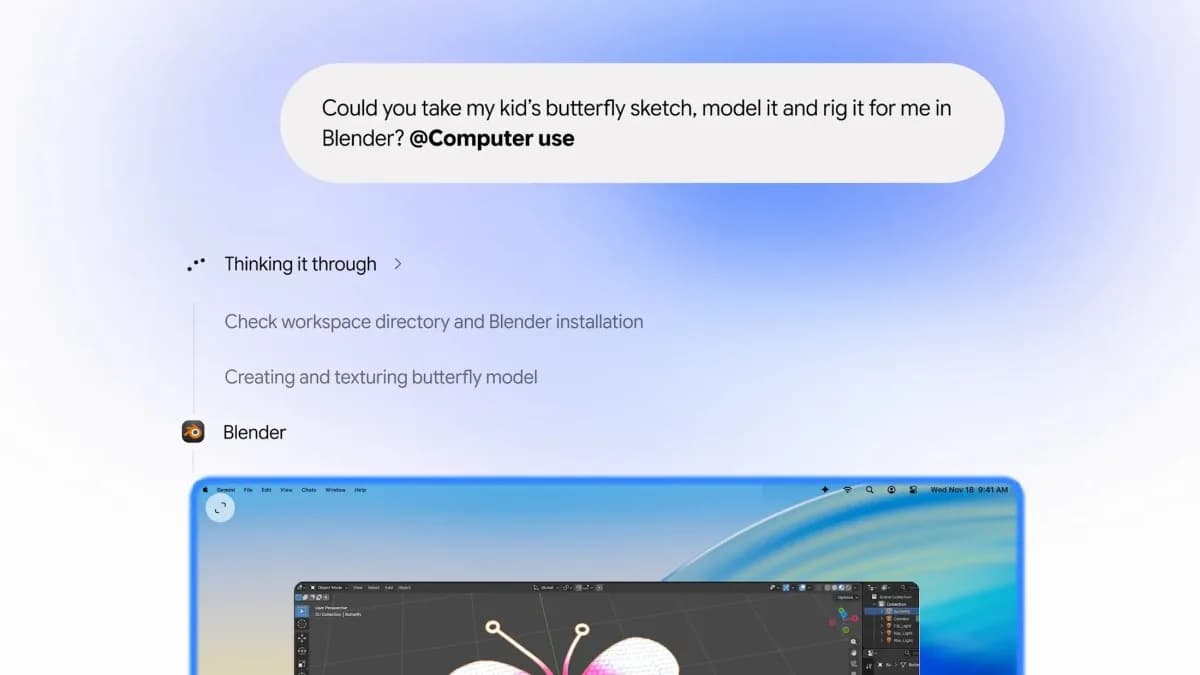
Gemini for Mac now runs background automation across installed apps — batch-editing photos in Pixelmator Pro, pulling data from PDFs into shipping forms, scraping screenshots into presentations, or turning dashboard charts into Google Slides decks. It does all this in an isolated window, with a live preview inside the Gemini chat, while you keep working elsewhere on your Mac.
But it’s not available to everyone. Not yet. Not even close. It’s rolling out gradually to paid subscribers only: Google AI Plus ($19.99/month), Pro ($49.99/month), and Ultra ($99.99/month) users in markets where those plans are sold.
It requires Apple Silicon, no Intel Macs. And it’s explicitly not coming to Europe or the UK, per The Next Web. Google says users must explicitly grant access to each app Gemini will use. You can pause, stop, or approve high-risk actions, like deleting files or sending emails, before they execute.
It won’t see folders you don’t connect. And if it modifies files, backups vanish after 24 hours or when you start a new task. That last bit matters: Google warns Gemini “can make mistakes, including permanently deleting files or sharing them with others.” So yes, it asks first. But the risk surface has expanded.
The feature is built on the same Computer Use foundation Google shipped in Gemini 3.5 Flash for developers back in June. Now it’s consumer-facing, though still rough around the edges. Macworld’s Roman tested version 1.147.5.1526 and hit a hard wall: the app cited “a built-in security boundary in Gemini’s Mac sandbox” and failed to automate anything in QuickTime Player, Finder, or Pixelmator Pro.
He got the older build despite trying to update, proof that rollout is staggered, not instant. This isn’t just another AI wrapper. It’s a shift toward agent-native computing, where the assistant doesn’t just answer questions, but does. OpenAI’s ChatGPT already logs keystrokes on Mac to build memory.
OpenClaw-based agents are reportedly boosting Mac mini sales. Google’s response? Embed deeper. Build into Googlebook OS.
Put the agent in the room, not the sidebar. What’s next? Wider availability, but no timeline for Intel Macs or European markets. No word on whether Google will extend Computer Use to Windows or Linux clients.
And no sign yet of integration with Gmail or Drive beyond what’s already been flagged in recent privacy updates, though that’s clearly the adjacent frontier. The rollout starts now. Your turn to wait, watch, and decide whether ‘approve before delete’ feels like enough.
ADFiled by The AI Desk
Models, assistants and the companies and chips behind them, reported from what was released and what was claimed, with the difference kept clear.
More from this desk →


Be the first to comment
Join the argument. No password, just your email or a passkey.