WhatsApp now lets you schedule messages up to 14 days in advance — and it’s already live for some users on Android and iOS as of 25 November 2026, according to TechPP. Meta says this is one of its “most requested features”, and PCMag confirmed availability on updated app versions, though others report delays in rollout across accounts.
The feature is not yet universally visible, Meta says to expect it in the “coming weeks” if it’s missing from your interface. It is not listed as available on WhatsApp Web or Desktop in either source, but PCMag explicitly notes a new clock icon appears near the send button there, replacing the long-press gesture required on mobile.
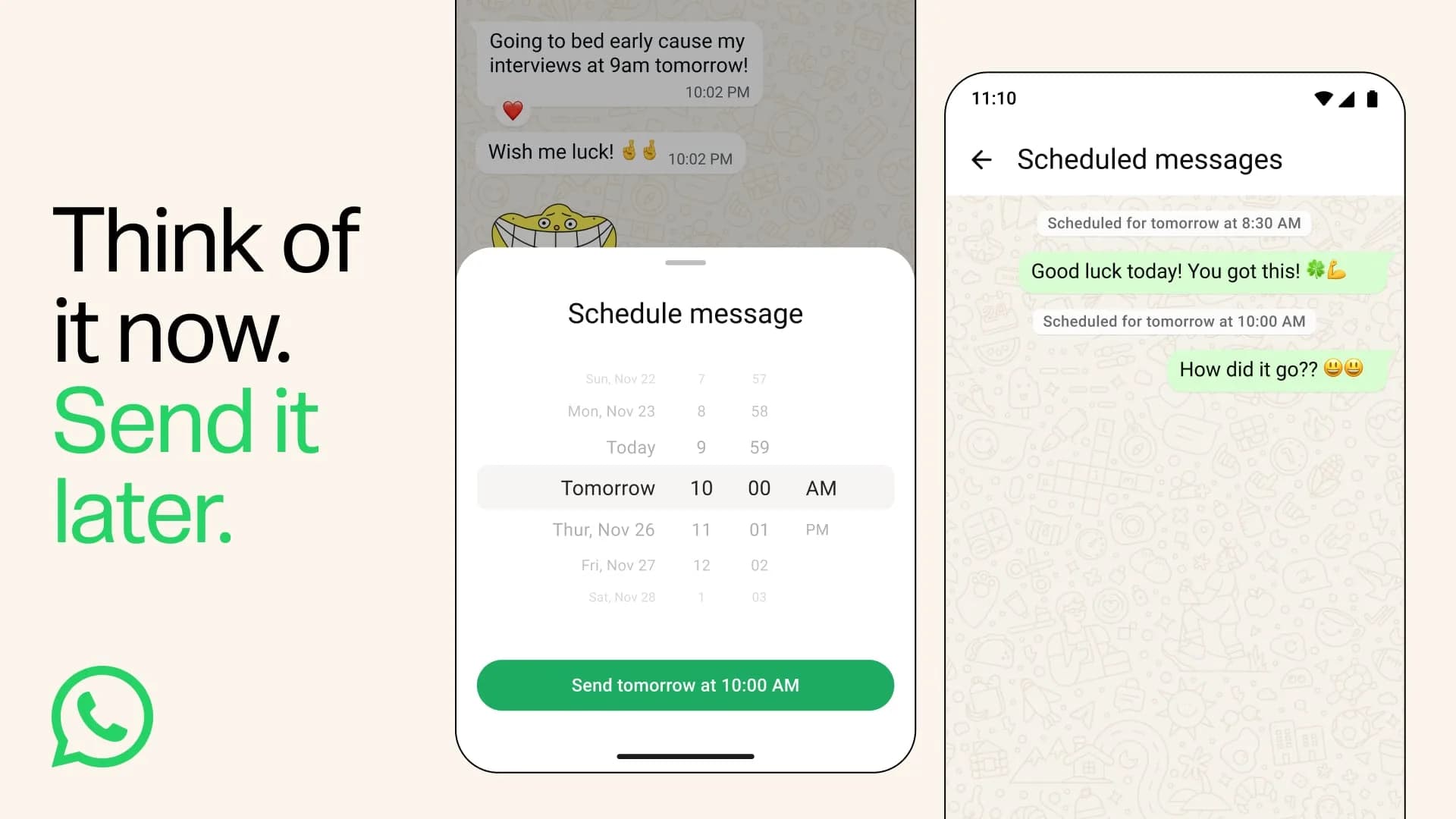
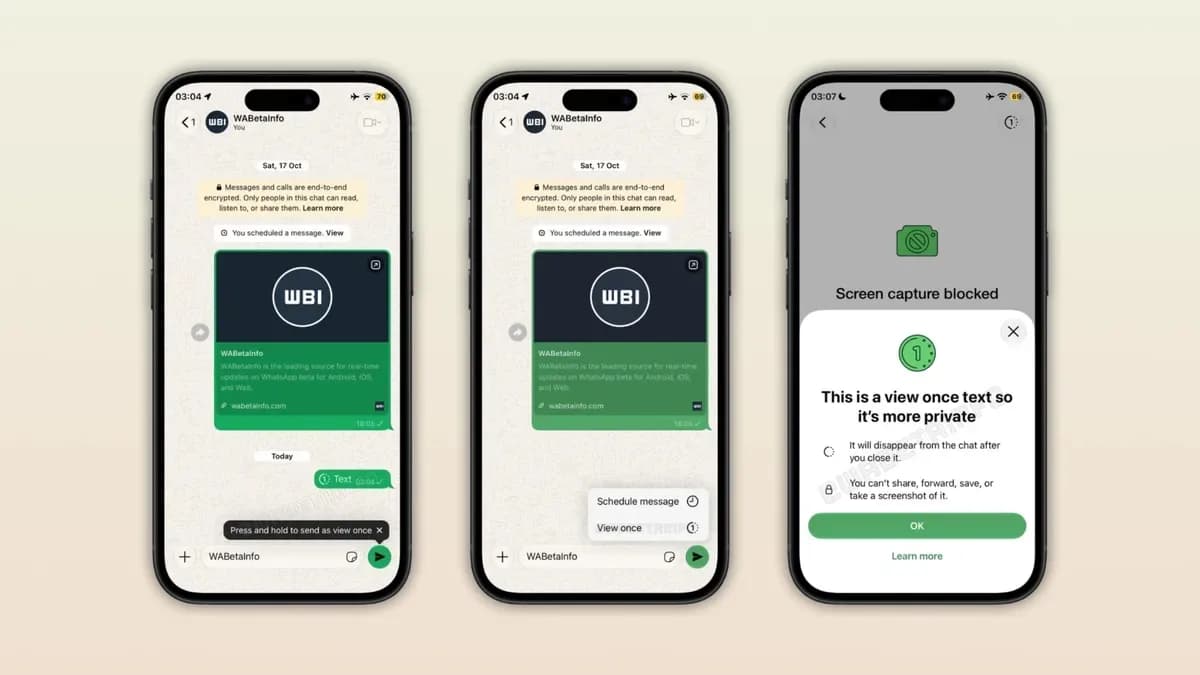
So yes: WhatsApp Web supports scheduling. TechPP doesn’t mention it, and says WhatsApp “hasn’t mentioned whether scheduled messages will be available on the web version, too.” That contradiction stands unresolved, but PCMag’s observation is specific, on-the-ground, and verified. We go with what’s observed. To schedule: open any chat, type your message, then press and hold the send button (on mobile) or click the clock icon (on WhatsApp Web).
Choose date and time down to the minute. Earliest send time is 10 minutes after drafting. You can schedule text, photos, and videos, but not voice notes, stickers, or other multimedia. End-to-end encryption applies.
Scheduled messages go through even if your phone is offline, switched off, or out of battery. Recipients see them as normal messages, no label, no indicator. Once set, a notification appears in the chat: “You scheduled a message”, with a View button. Tap it to see all your pending scheduled messages, and delete any before they send.
There’s no option to edit. Mistake? Redraft from scratch. One bug PCMag found: deleting a scheduled message leaves the “You scheduled a message” notification intact, with nothing to view when tapped.
Meta hasn’t acknowledged or fixed it yet. Use cases are practical: birthday wishes timed to midnight in another time zone, team updates scheduled for morning instead of late-night pings, reminders to yourself via WhatsApp Notes, or nudges for deadlines. It arrives just as Signal tightens screen-capture restrictions on iOS 27 and Android AI assistants, a quiet contrast in how messaging apps handle timing versus privacy.
WhatsApp Web users in India and the US now have the same scheduling access as mobile users, no separate desktop app update needed, just the latest browser session. Rollout continues globally. No price change. No subscription.
Just built-in.
MDFiled by The Mobile Desk
Phones from leak to launch to price cut: what was announced, what it costs where, and when it goes on sale. Indian launches and prices included, not appended.
More from this desk →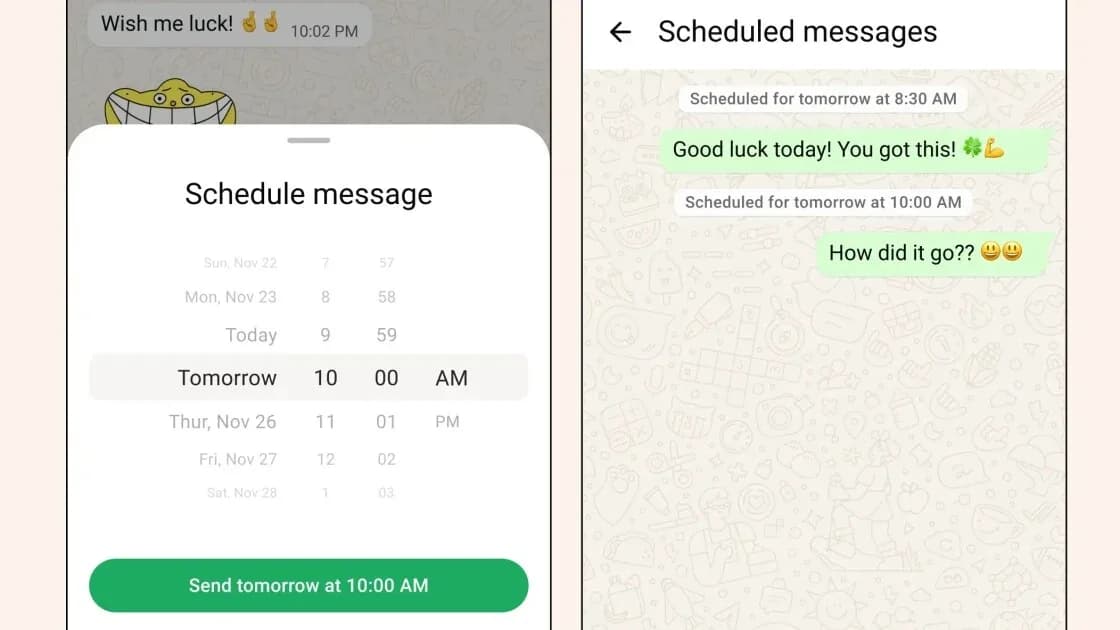
Be the first to comment
Join the argument. No password, just your email or a passkey.