A Pixel Watch 5 nearly disappeared into the machinery of an airport security line this week, and the only reason it didn't is a setting most owners never think about.
The story comes from an Android Police writer flying out of Madrid, who described taking off the watch at the request of a security officer, setting it in a tray, and then walking off without it after clearing the checkpoint. A search through nearby trays and stacks turned up nothing. The watch was gone, and the writer doesn't speak fluent Spanish, which made explaining the problem to airport staff harder than it needed to be.
The fix was Find Hub, Google's device-tracking network that every Pixel Watch is enrolled in by default during setup, provided the owner agrees to it. Find Hub works by pinging nearby Android devices over Bluetooth, a bit like Apple's Find My network for AirTags and other accessories, so a lost watch can be located even when it isn't connected to its paired phone directly.
Opening the Find Hub app on a Pixel 11 Pro XL, the writer selected the Pixel Watch 5 and triggered its ring alert. Over the noise of the conveyor belt and the crowd, the sound was faint but traceable. Security staff followed it to the belt mechanism itself, and the watch eventually reappeared in a tray headed back to the start of the line. An officer walked it through the X-ray machine and handed it back.
How to make sure the setting is on
Find Hub is offered as an option during the initial setup of any Pixel Watch, from the first generation through the newest model, and it can be checked or re-enabled afterward in the watch's settings. It also needs location turned on, specifically Settings > Location, so the watch can use Bluetooth, Wi-Fi, and GPS to help pin down its position. Bluetooth is the part that actually makes a lost-and-found rescue like this possible. Once both are on, the watch should show up inside the Find Hub app on a paired Android phone, or through a browser at google.com/android/find.
The Android Police account also points to a gap in the system. Pixel Watches can alert a wearer if their phone gets left behind, but there's no equivalent warning that fires when the watch itself is separated from the phone. Had the writer not noticed the watch missing immediately, it could have ridden the belt back to the start of the line and into someone else's hands, with no notification to flag the disconnect.
That asymmetry is a small but real hole in Google's Find Hub setup, and one worth Google addressing given how often wearables get removed and set aside, whether at airport security, a gym locker or a hospital check-in desk.
GDFiled by The Gadgets Desk
Audio, wearables, cameras, tablets, chargers and every other device worth carrying or plugging in.
More from this desk →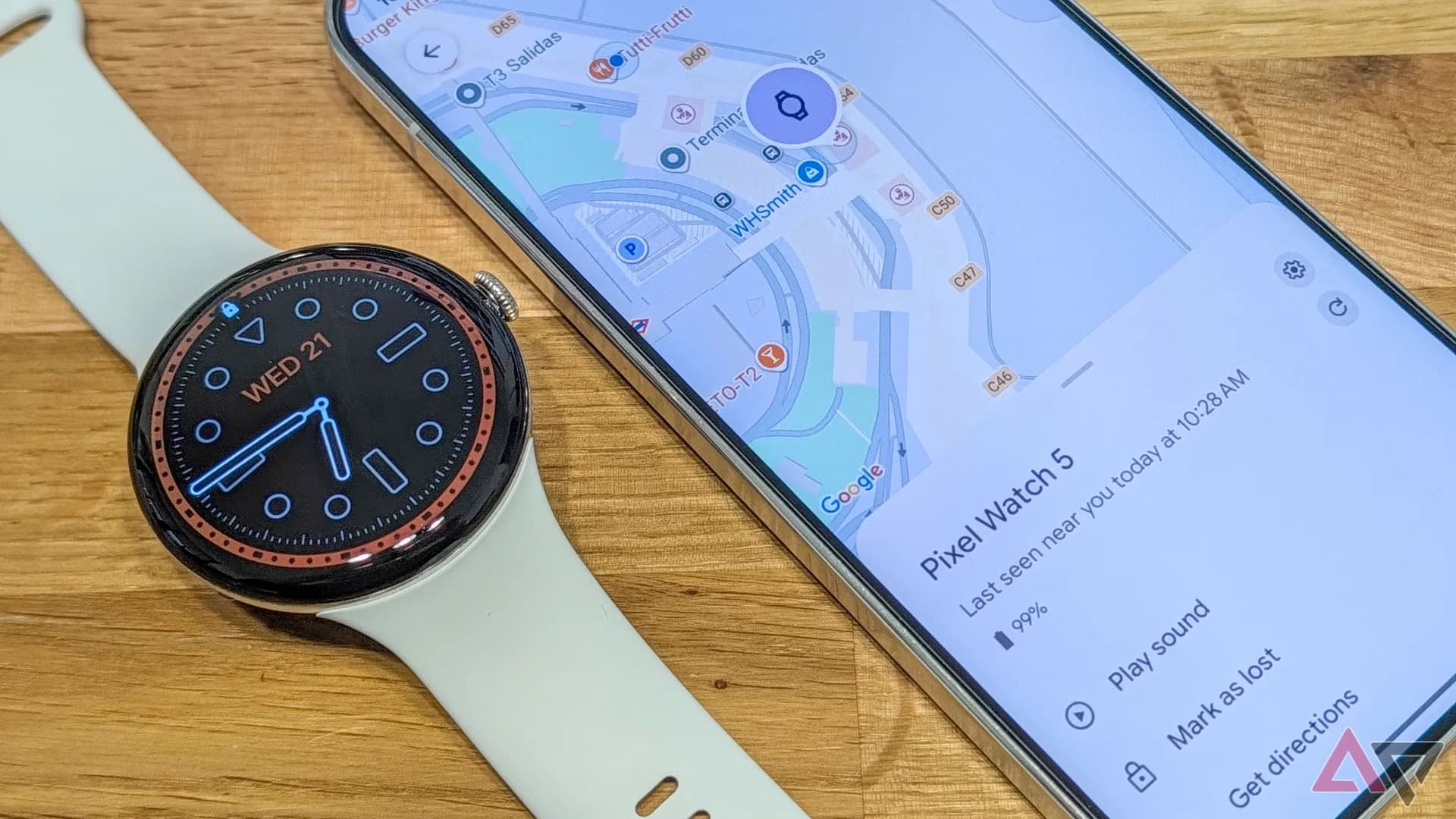
Be the first to comment
Join the argument. No password, just your email or a passkey.