Buried near the bottom of Settings, under Privacy & Security, sits a toggle Apple built for a small group of people who have reason to fear their phone is being watched: journalists, activists, politicians, anyone a government or well-funded adversary might want to track. It's called Lockdown Mode, and it has been sitting there, largely unused, since iOS 16 shipped in 2022.
Apple describes it as an "extreme" layer of security, and the feature earns that word. Turn it on and Messages stops rendering most attachments. Link previews disappear, because a preview is just the kind of thing spyware can hide inside. JavaScript gets restricted in Safari and other browsers, which means some sites load slowly or don't load at all. FaceTime calls are blocked unless you've recently called that person yourself.
The restrictions extend past messaging. A locked iPhone in Lockdown Mode won't talk to a computer or an accessory over a wired connection until you enter your passcode. It stops auto-joining unsecured Wi-Fi networks, and it kills support for 2G and 3G entirely, networks the US retired years ago anyway. You can't install configuration profiles, which is a problem if a school or employer requires one to get on their network. Apple Watch users lose phone call notifications on their wrist. Home invitations, Game Center and photo sharing all get cut back too.
It's available on iPhones running iOS 16 and later, and the equivalent exists on iPadOS 16 onward, watchOS 10 onward and macOS 13 Ventura onward. Turning it on takes seconds: Settings, Privacy & Security, scroll to Lockdown Mode, tap Turn On & Restart, confirm with a passcode. Turning it off is just as fast, from the same screen.
What the restrictions buy you showed up clearly in 2023. An exploit called Blastpass used iMessage to plant NSO Group's Pegasus spyware on iPhones without any tap required from the owner. Researchers later confirmed devices running Lockdown Mode were untouched by it. Apple takes the feature seriously enough to pay double through its Security Bounty program to anyone who finds a way around it.
Who actually needs it
There's some room to compromise. Users can whitelist specific contacts so messages from family still arrive with attachments intact, or exempt particular websites and apps from the restrictions. Apple's own guidance cuts the other way, though: loosen the defaults and you reopen the exact doors Lockdown Mode was built to close. Anyone who genuinely believes they're a target is better off leaving everything locked down. Apple says it will notify users directly if it detects they've likely been hit by state-sponsored spyware.
For almost everyone else, the iPhone's existing security stack already covers the threats they're likely to face, and Pegasus-style tools are typically deployed against public figures, not random consumers. Trying Lockdown Mode for a few days costs nothing but convenience. Most people who do will probably turn it back off and never think about that Settings menu again.
MDFiled by The Mobile Desk
Phones from leak to launch to price cut: what was announced, what it costs where, and when it goes on sale. Indian launches and prices included, not appended.
More from this desk →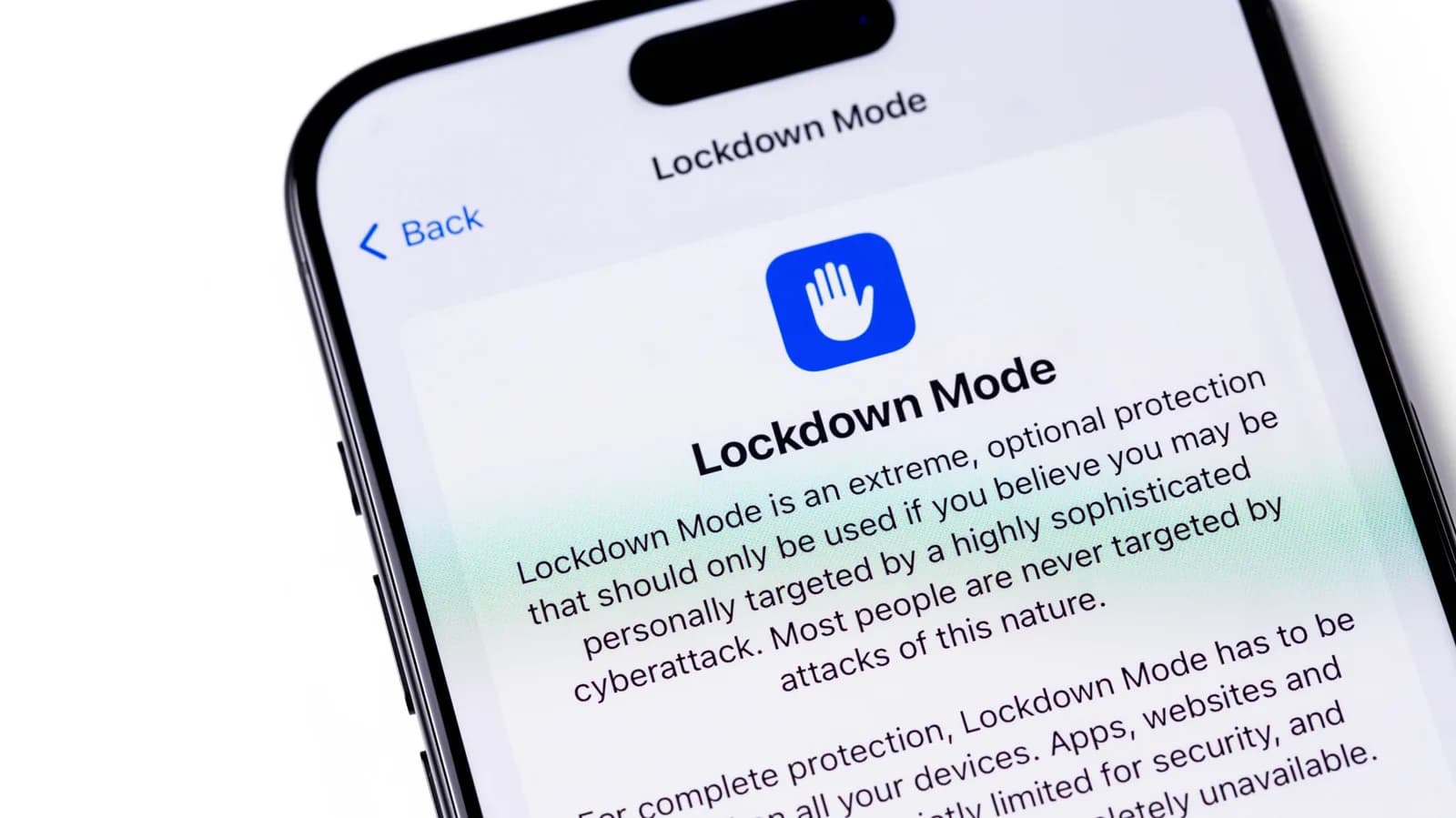
Be the first to comment
Join the argument. No password, just your email or a passkey.