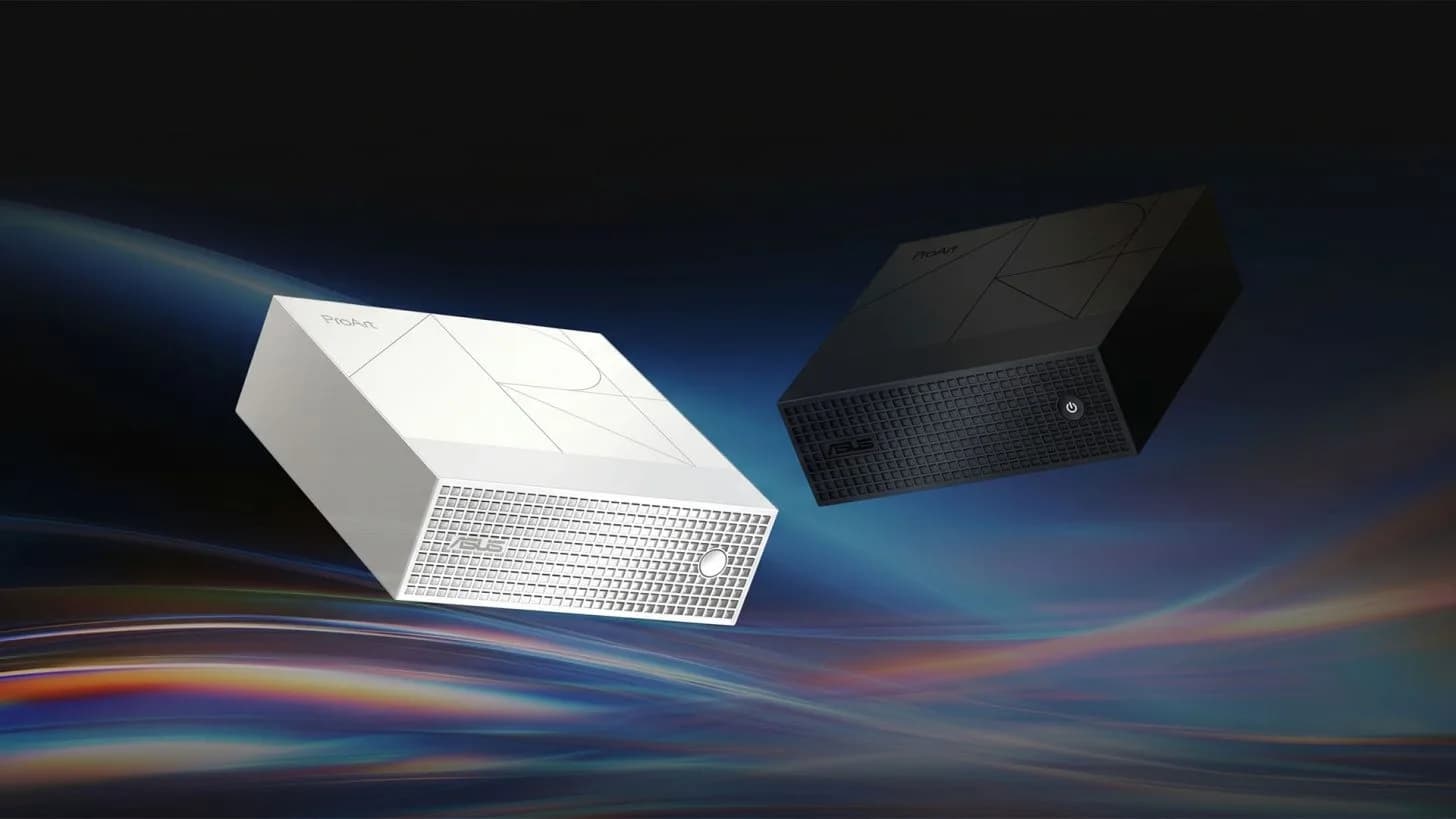
The ASUS NUC 15 Pro is now shipping globally with Intel Core Ultra 7 265H processors, SO-DIMM memory slots and dual M.2 SSD bays — but only in select configurations, and only as a barebones unit in many markets. It’s not a new launch. It’s a quiet, ongoing availability shift that makes the mini PC more viable for home-office users who already own monitors, keyboards and mice, and who don’t need portability.
That’s the real trade-off: space efficiency versus mobility. Not raw power versus power. Not desktop versus laptop. Just where the machine lives, and how often it moves.
The NUC 15 Pro uses the same mobile chip found in high-end laptops. The Core Ultra 7 265H, and shares its SO-DIMM RAM and M.2 storage architecture. That blurs the hardware line. But cooling, firmware tuning and power limits mean identical CPU names don’t guarantee identical sustained performance.
A laptop with that chip may throttle harder under load. A NUC may run cooler but hit different thermal ceilings. Neither is objectively ‘stronger’. They’re tuned differently for different roles.
Upgrade paths differ too. Some NUC 15 Pro models ship without RAM or SSD. Just a chassis, motherboard and fan. Add those, plus Windows, and the price jumps.
Engadget notes the ‘bargain-looking barebones’ can quickly lose its value edge. Laptops, by contrast, rarely let you swap RAM or storage post-purchase, especially thin-and-light models with soldered memory. So upgradeability isn’t universal across mini PCs, and it’s nearly nonexistent on most laptops. It’s configuration-dependent.
Graphics remain a hard boundary. Integrated Iris Xe graphics handle office work, video calls and browser tabs fine. Whether in a NUC or a laptop. But if you’re editing 4K timelines or rendering in Blender, neither platform delivers discrete GPU headroom unless you add external enclosures (which bring cost, complexity and Thunderbolt bandwidth limits).
Don’t buy a mini PC expecting desktop-class GPU muscle. Don’t assume a laptop docked to three monitors suddenly has workstation graphics. The docking argument cuts both ways. Plug a compatible laptop into a Thunderbolt dock, close the lid, and it becomes a de facto desktop, keyboard, mouse, Ethernet, dual 4K displays and charging, all over one cable.
For people who split time between home, office and coffee shops, that’s decisive. One machine. One OS. One set of files.
No sync headaches. A mini PC can’t replicate that. It’s desk-bound by design. But if your workflow never leaves the desk.
If your monitor is calibrated, your mechanical keyboard is broken in and your mouse has muscle memory, then the NUC’s compact footprint matters. It tucks behind the display. It disappears. It doesn’t compete for desk real estate with a 16-inch clamshell.
And when you’re not using it, it’s just a small box. Not a device you have to remember to charge, close, carry or protect from coffee spills. Availability is global, but pricing and pre-configured options vary by region. Engadget does not list specific prices or launch dates, only that the NUC 15 Pro is actively sold in configurations supporting the Core Ultra 7 265H, with varying levels of included memory and storage.
Buyers must check local ASUS channels for what ships with what. And whether Windows is bundled or licensed separately. Next: more OEMs are expected to release similarly sized mini PCs built around the same mobile silicon stack before year-end, pushing the category further into the mainstream home-office conversation, not as a niche alternative, but as a deliberate choice for static setups.
CDFiled by The Computing Desk
Laptops, desktops, processors, graphics cards and the operating systems that run on them.
More from this desk →
Be the first to comment
Join the argument. No password, just your email or a passkey.