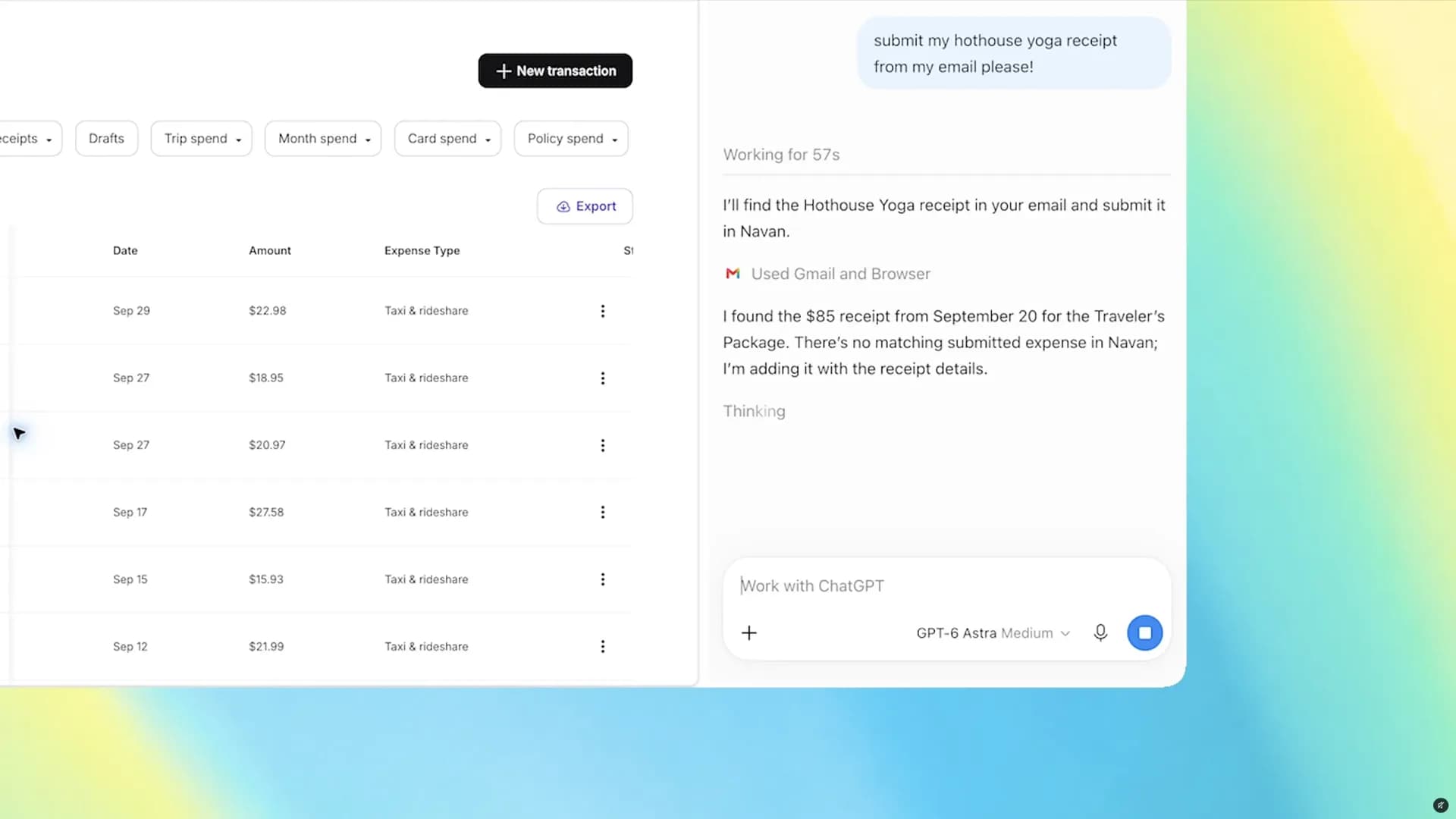
ChatGPT’s Chrome extension can now control your browser tabs — not just read them. As of today, the free extension lets ChatGPT fill forms, send messages, download files, and group open tabs by topic, all while in Work mode. It does not auto-submit anything: when handling a dentist registration, for example, it stops before hitting “submit” so you can review first. No paid plan required. Free users get full access. The feature works inside ChatGPT’s web app or desktop app. No side panel needed. Just type @Chrome in any prompt, or name a specific tab to pull its content as context. Chromium browsers beyond Chrome are supported: Edge, Brave, Opera, Vivaldi. Firefox and Safari remain excluded. The update rolled out globally on October 18, 2026, and is live in the Chrome Web Store now. OpenAI retired its standalone ChatGPT Atlas browser in August, but this isn’t a retreat, it’s a pivot deeper into the browser you already use. For anyone searching “ChatGPT app”, “ChatGPT download”, or “ChatGPT desktop”, the answer hasn’t changed: there’s still no official native desktop app for Windows or macOS. What’s new is that the web app. Plus the Chrome extension, now behaves more like one. Next up? OpenAI says broader cross-browser support is “in development”, but gives no timeline. No word yet on Linux desktop integration or Firefox compatibility.
ChatGPT app: How to get tab control for free (no download needed)
No download needed. No subscription bump. Just type @Chrome — and let ChatGPT handle your tabs.
The Software Desk · (3 hours ago)

Reported from
How this story was made
Written by the Hitechreports desk from the reporting credited above, with facts attributed to their original publishers. We do not test devices ourselves; anything about performance, battery life or cameras comes from the outlets that did. Prices are as reported at the time of writing. Editorial policy · Report an error
Filed by The Software Desk
Apps, platforms, operating system releases, security fixes and the features arriving in them.
More from this desk →Read next
More Apps & Software →
Eight US states sue OpenAI over ChatGPT's harm to children
Eight US states have sued OpenAI under consumer protection laws, alleging ChatGPT harms children through dangerous advice, data collection, and uncontrolled AI agents. They seek court orders, fines, and restrictions on self-improving models.
ChatGPT Can Now Read Your Open Google Chrome Tabs
OpenAI has upgraded its ChatGPT Chrome extension so the chatbot can view open browser tabs to compare information, or in Work mode, control them to fill forms, send messages and organize tabs into groups.

Eight US States Sue OpenAI Over ChatGPT App Child Safety
Eight US states filed separate lawsuits against OpenAI on Tuesday, alleging the company misled the public about the ChatGPT app's safety risks for children and harvested data from minors without adequate safeguards.
Be the first to comment
Join the argument. No password, just your email or a passkey.