Saving an address to an appointment entry turns Google Calendar into an immediate navigation launcher inside Android Auto. Tapping an upcoming meeting on the vehicle dashboard hands off the destination directly to Google Maps, cutting out the usual copy-pasting and manual search bar typing right before pulling out of a driveway.
The setup relies on a standard field already built into the scheduling software. Whenever an event gets logged on desktop or inside the mobile app by hitting Create, selecting Event, and entering an address into the Location field, that data syncs straight to the car. Once the phone connects to Android Auto, the native Calendar icon reveals the daily agenda with those addresses attached.
Touching an entry that has an address triggers the car interface to push that exact location straight into Google Maps. Routing starts without requiring drivers to re-enter postcodes or hunt through recent search history.
Voice Controls via Gemini
Hands-free operation expands that shortcut further when Gemini handles voice duties on Android Auto. Instead of browsing screens while stationary, speaking to Google prompts the assistant to inspect the schedule and calculate the route automatically.
Motorists can activate the assistant by saying the standard wake phrase or pressing the voice shortcut button mounted on the steering wheel. Issuing a command such as "Hey Google, check my calendar and drive to the location" prompts the assistant to identify the upcoming appointment based on the current time and pull up the saved destination inside Maps.
The software also manages targeted requests. Specifying an activity, such as asking Gemini to navigate to a dinner reservation, prompts the assistant to isolate that specific booking from the calendar and queue the coordinates on the primary navigation screen.
Preparing a multi-stop road trip or a long sequence of afternoon errands works under the same system. Stashing hotels, appointment clinics, and restaurant locations into chronological calendar entries beforehand centralizes travel plans into one timetable. When it is time to depart from one stop, the next location sits ready to load with a single tap or a short voice prompt.
The feature is available across Android Auto setups with Google Calendar and Google Maps installed, requiring only that users save exact destination addresses in their event entries prior to departure.
SDFiled by The Software Desk
Apps, platforms, operating system releases, security fixes and the features arriving in them.
More from this desk →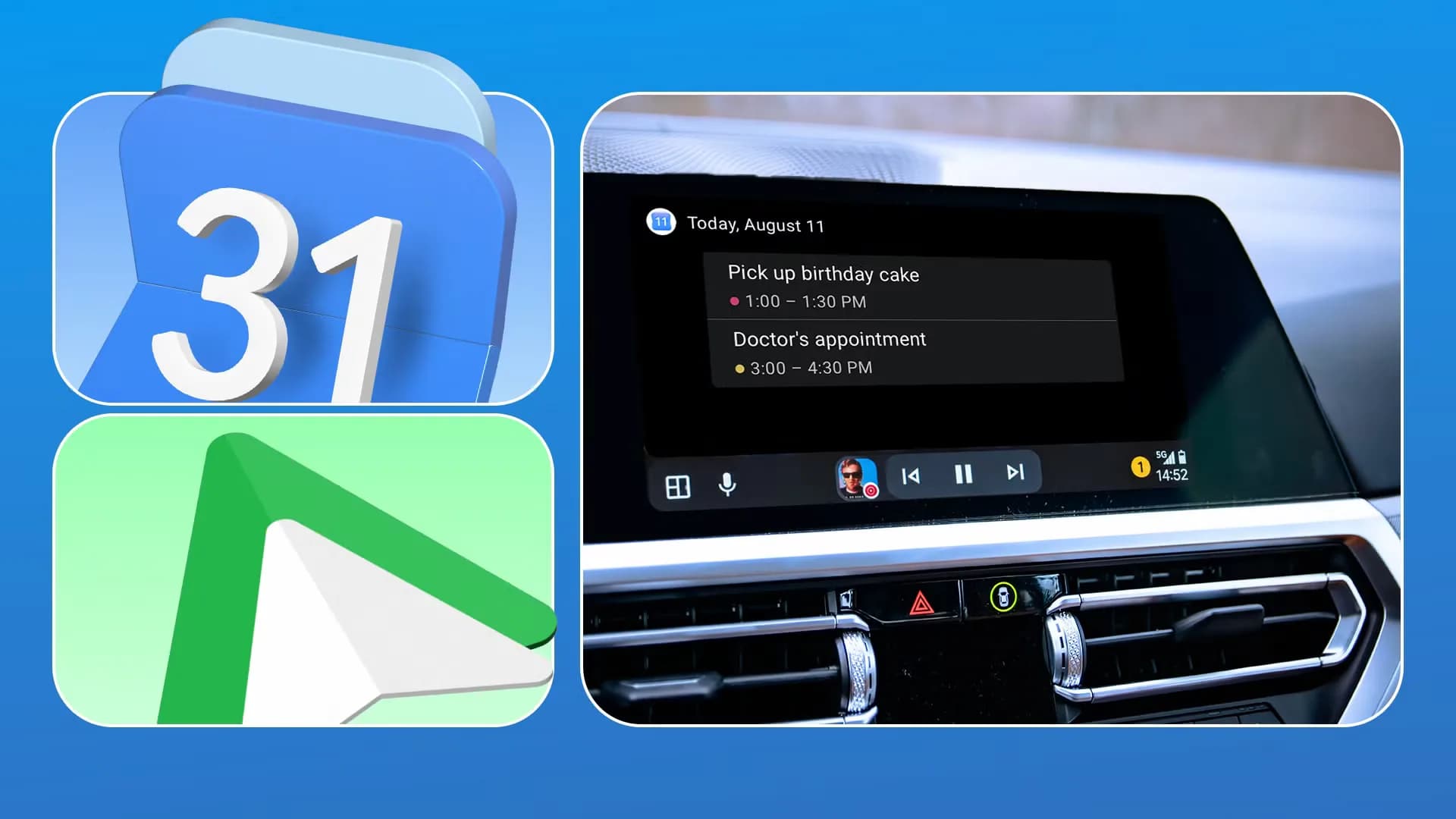
Be the first to comment
Join the argument. No password, just your email or a passkey.