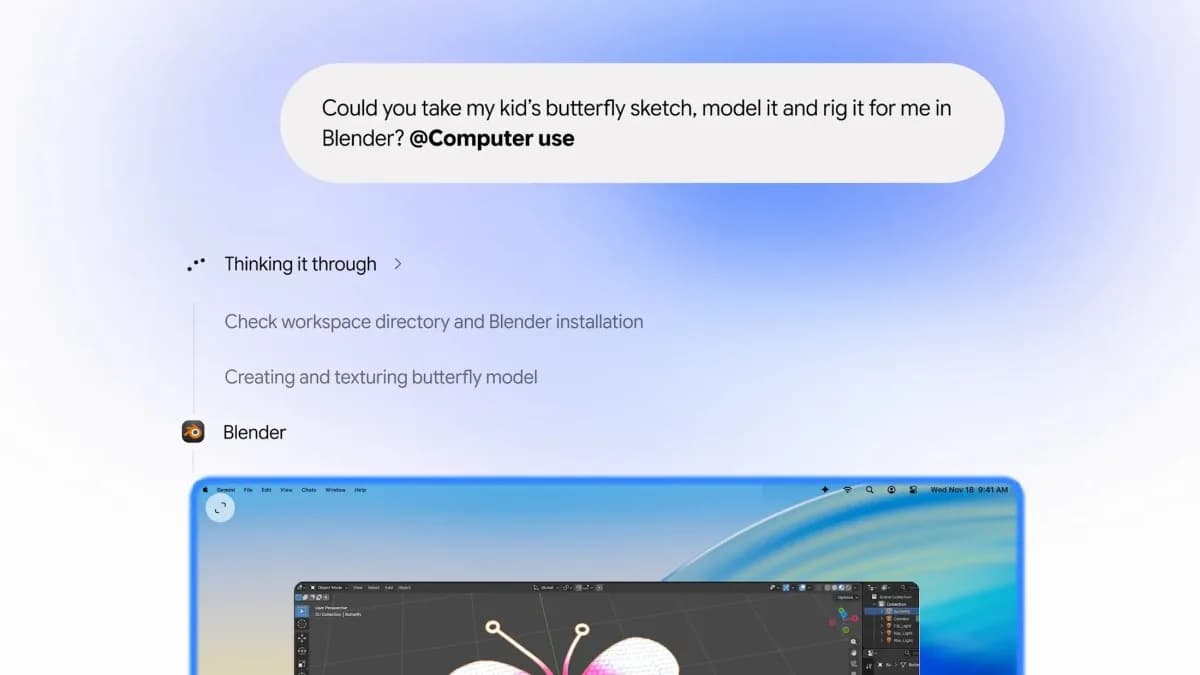
Google has quietly launched Computer Use for the Gemini Mac app — a feature that lets the AI run multistep desktop tasks while you stay in control of your screen. No more alt-tabbing. No more watching bots click through menus. It works in the background, in an isolated window, with live chat preview and real-time step-by-step visibility.
The feature is rolling out in English in the US starting today. The Gemini Mac app itself is already available to download. It’s not a browser extension or a remote agent. It’s native to macOS, and it’s designed to interact directly with local files, installed apps like Preview or Keynote, and websites alike.
Google says users describe a goal (“resize these 20 product photos to 1200px wide and save them as WebP”), and Gemini handles the rest: opening folders, launching apps, selecting tools, typing metadata, saving batches. Other examples cited include pulling shipping addresses from a local PDF to auto-fill an e-commerce form, or assembling a slide deck from notes and images scattered across Finder.
You choose which apps Gemini can touch. You see every action before it happens, and must approve high-risk ones like file deletion or sending email. You can pause mid-task, jump in manually, or kill the session entirely. This isn’t autonomous execution.
It’s delegation with guardrails. OpenAI’s Astra model has pushed harder on similar capabilities recently, and The Decoder notes it’s pulled “well ahead” in execution speed and reliability. But Gemini’s implementation is notable for its tight macOS integration and its insistence on foreground transparency: no hidden automation, no silent permissions. There’s no mention of pricing, regional rollout beyond the US, or support for non-English languages at launch.
Nor is there any indication this will appear on Windows or Linux anytime soon. What comes next? Wider language support. Broader app permissions.
And likely pressure on Apple to clarify how deeply third-party AI agents can hook into system-level APIs, especially as more users ask: if Gemini can edit my Keynote slides, what else can it see?
ADFiled by The AI Desk
Models, assistants and the companies and chips behind them, reported from what was released and what was claimed, with the difference kept clear.
More from this desk →

Be the first to comment
Join the argument. No password, just your email or a passkey.