Microsoft is quietly pulling the plug on Themes by Copilot in Microsoft Outlook, ending a decorative perk introduced in November 2024 for subscribers paying for its artificial intelligence tools.
The retirement notice landed inside the Microsoft 365 Message Center under entry MC1492954, as spotted by Neowin. In the memo, Microsoft informed administrators that the styling utility will disappear from the email client shortly. The option allowed people holding a paid Copilot license to generate bespoke visual skins and apply them across Outlook's interface directly from the Settings menu.
Once the change rolls out, the entire configuration panel for the feature is going away. Anyone who currently has a Copilot-crafted design applied to their inbox will not see it vanish overnight. Microsoft noted that active layouts can remain in place for now. There is a catch, though. The moment a person changes to a standard Outlook appearance, the generated palette disappears permanently. You cannot choose it again, nor can you create a fresh replacement.
The feature arrived during a wave of generative styling rollouts across office software, when major tech companies experimented with turning monthly artificial intelligence subscriptions into lifestyle add-ons. Asking corporate or personal accounts to justify premium licensing fees for inbox wallpaper was always an odd proposition. Most daily email work leans toward readability and search performance rather than algorithmic artwork framing an unread queue.
Microsoft offered no official rationale for retiring the design engine, but the move fits a broader cleanup of software corners where automated prompts failed to attract daily use. Dropping the styling tool does not signal a retreat from assistant software elsewhere. The company has pushed updates toward its dedicated Copilot application and integrated Taskbar Search, funneling its engineering hours into areas where people actually rely on machine learning for daily computing tasks. For Outlook users fond of their custom inbox look, the takeaway is simple: pick another theme only if you are ready to say goodbye to the old one forever.
SDFiled by The Software Desk
Apps, platforms, operating system releases, security fixes and the features arriving in them.
More from this desk →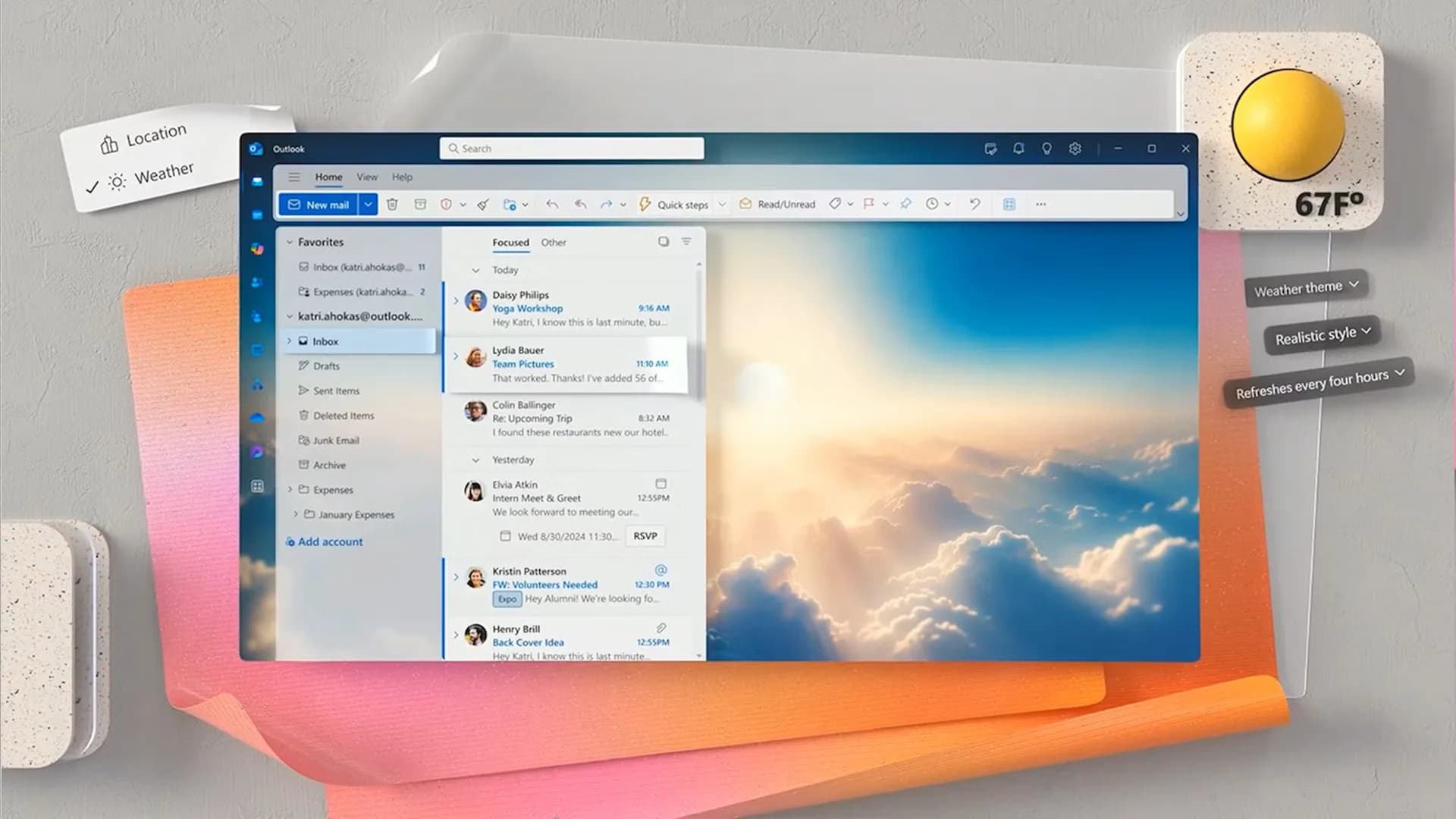

Be the first to comment
Join the argument. No password, just your email or a passkey.