Google built the reputation of its Pixel lineup on computational photography, merging multiple frames to produce bright snapshots in difficult conditions. But that same processing engine has pushed some mobile photographers away from the native camera app. Because Google hardware adjusts sharpness and shadow depth immediately after you press the shutter button, finished pictures often look starkly different from what the preview showed.
For users wanting unadorned shots, the open-source Android tool Open Camera has become a practical escape hatch. The free software steps around Google's aggressive computational pipeline, saving standard JPEGs that leave lighting choices entirely in human hands.
Escaping Automated Tuning
On a Pixel phone, the stock software lifts shadows and boosts saturation the moment a capture completes. Casual photographers often appreciate that immediate pop. It makes botched shots rare, regardless of ambient lighting. But the aggressive tuning can ruin deliberate high-contrast compositions. Google does support RAW capture alongside JPEGs inside the default camera app. But working with uncompressed RAW files demands dedicated editing workflows, stripping away the speed that smartphone cameras exist to provide.
Open Camera takes an older, more manual route. It outputs conventional JPEG files without applying Google's multi-exposure frame stacking or dramatic sharpening filters. The result is a flatter image that retains actual shadow depth rather than an algorithmic approximation.
The utility also equips phones with manual controls that Google keeps hidden. Users get dedicated adjustments for exposure compensation, manual focus, white balance, and ISO targets. Shutter speed dials allow captures that Google's automated system would fight against, including custom timings for partial solar eclipses or fast burst modes to catch lightning strikes during storms. The app also supports exposure bracketing, letting shooters take consecutive frames at varying light values. Photographers can also monitor levels directly on screen using an active histogram.
Where Stock Processing Still Wins
Stepping outside Google's software ecosystem comes with clear compromises. Because Open Camera does not stack multiple frames together, it cannot match the sheer detail that Pixel software extracts from tiny camera sensors.
Challenging lighting shows the biggest contrast. Open Camera includes a functional night mode, but it trails far behind Google's dedicated Night Sight, which reliably cleans up noise in the dark. At the same time, that very strength is what alienates purists, since Night Sight can brighten evening environments until they look like daytime.
Interface polish is another trade-off. Google's native camera is uncluttered and fast. Open Camera relies on utilitarian menus and raw technical readouts that take time to configure before every shot.
Still, for photographers planning to polish their work inside tools like Snapseed, starting with unaltered highlights and shadows is worth the extra taps. Pixel users have asked for years for a simple slider to dial down Google's heavy processing. With no such toggle on the horizon, third-party software remains the only real option.
SDFiled by The Software Desk
Apps, platforms, operating system releases, security fixes and the features arriving in them.
More from this desk →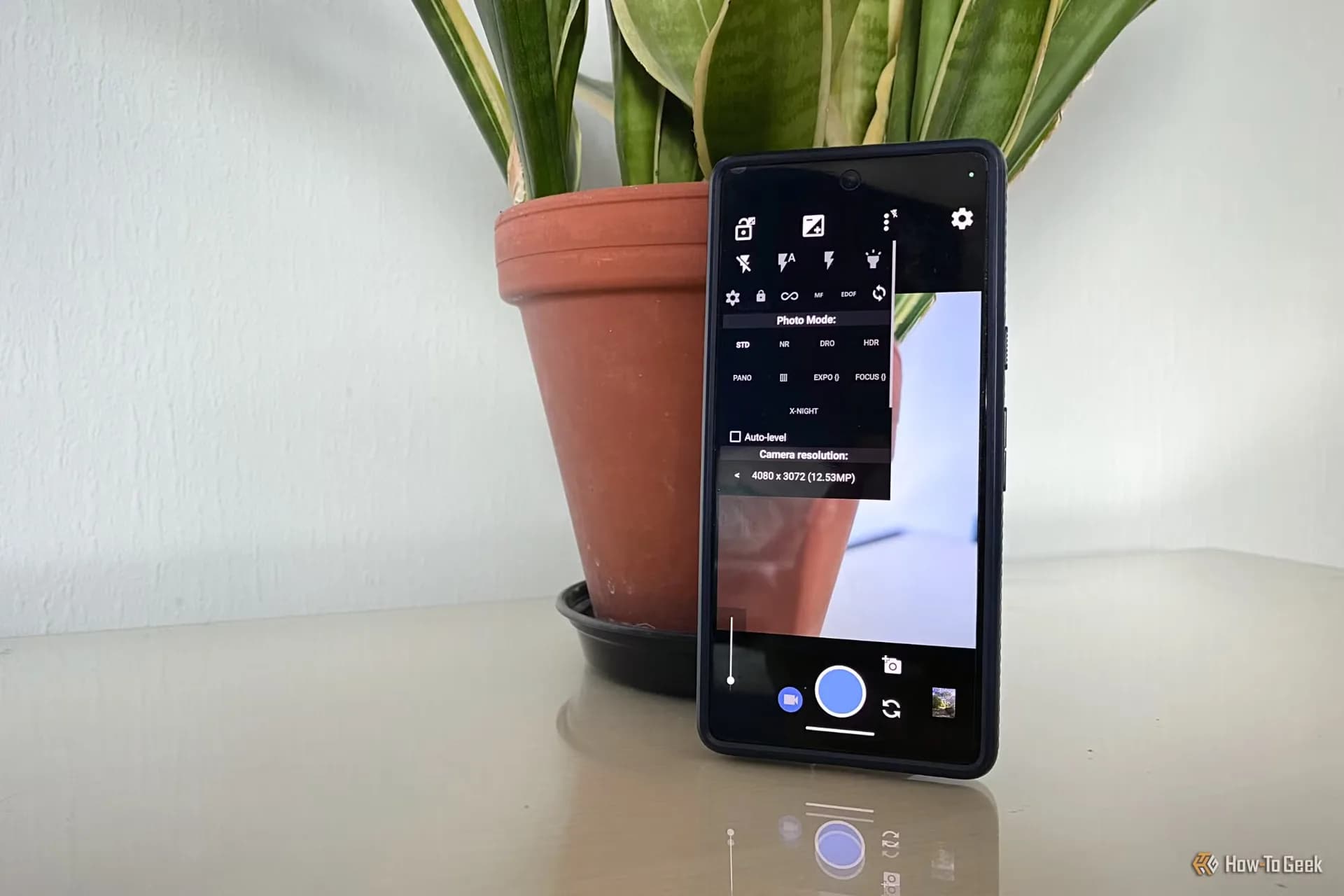
Be the first to comment
Join the argument. No password, just your email or a passkey.