Sending a clip from an Android handset to a Linux workstation usually means emailing yourself an attachment or dealing with cloud storage upload times. LocalSend bypasses external servers entirely by routing files, directories, and clipboard snippets directly across a shared local Wi-Fi setup.
The free, open-source utility runs on Windows, macOS, Linux, Android, and iOS, alongside a companion web client that handles transfers directly inside a desktop browser. Instead of tethering users to single-vendor ecosystems like Apple's AirDrop, the utility discovers any device running the client across the same subnet.
Setup requires no login credentials or online accounts. Once installed — via APT on Debian-based distributions or standard installers on Windows, each machine generates a random alias that users can rename inside preferences. From the client interface, sending data involves choosing individual files, entire directories, or plain text strings, then picking a destination machine visible on the network.
Recipients receive an authorization prompt detailing incoming file data before accepting the transfer. Incoming payloads drop into standard system download folders by default, though storage paths remain configurable on each client.
Troubleshooting Local Transfers
Because LocalSend relies entirely on peer-to-peer data pipes over a local router, it cannot transfer files over the wider internet to outside addresses. Performance hinges entirely on internal network conditions.
Discovery glitches occasionally crop up on strict networks. Firewalls can block discovery packets unless administrators permit incoming TCP and UDP connections across port 53317, alongside unrestricted outbound traffic. Guest Wi-Fi setups and commercial office networks often activate client isolation or access point separation across separate frequency bands, cutting off device-to-device visibility. For setups where automated discovery stalls, users can bypass automated broadcasts by punching in the target machine's direct IP address manually.
The software enforces encrypted handshakes between endpoints, though manual transfer verification remains essential to avoid unintended incoming files on shared office routers. For mixed-platform setups running a combination of desktops and mobile devices, the installer packages are available to download directly from the project's official portal.
SDFiled by The Software Desk
Apps, platforms, operating system releases, security fixes and the features arriving in them.
More from this desk →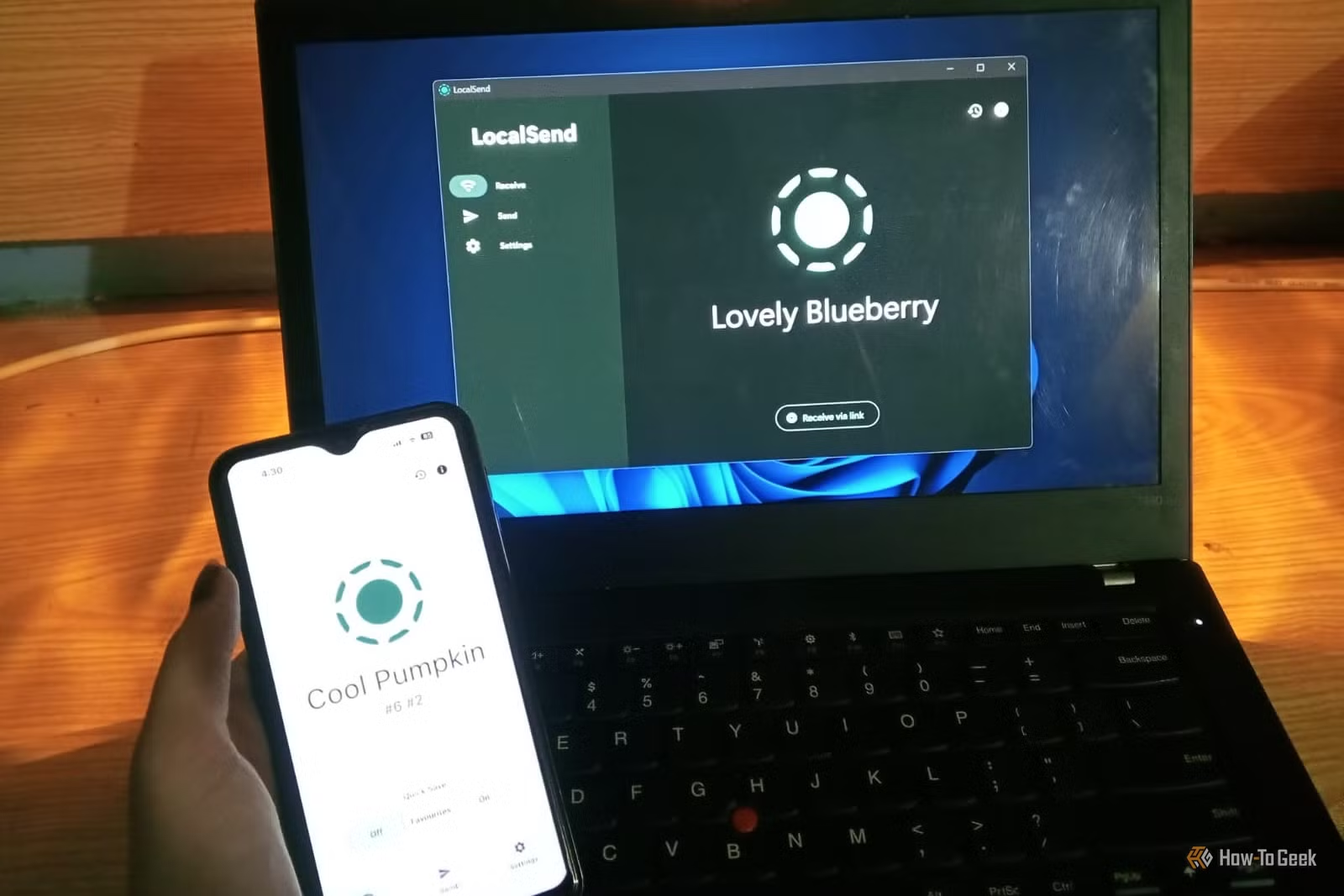

Be the first to comment
Join the argument. No password, just your email or a passkey.