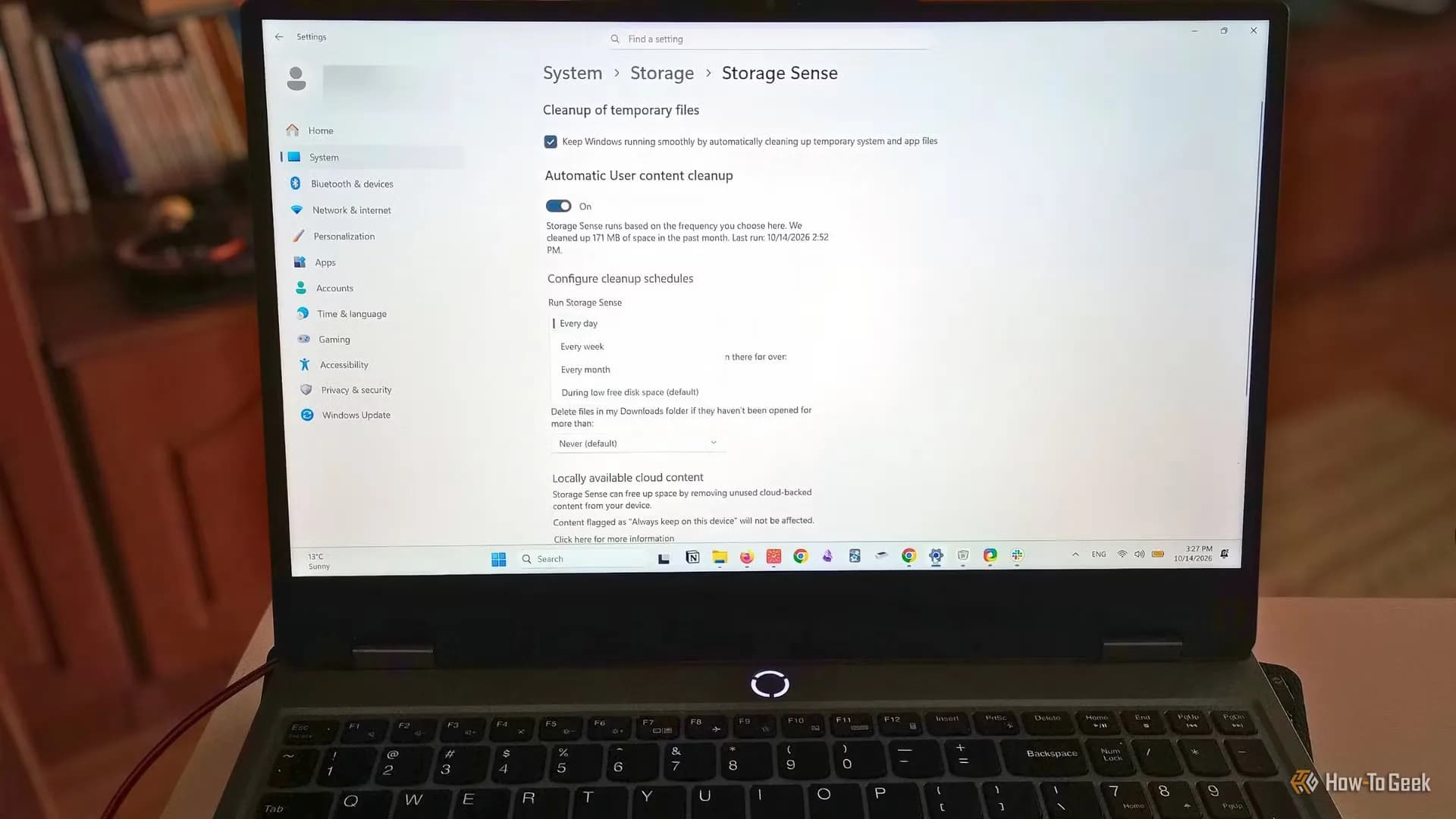
Windows 11’s Storage Sense is now live — and it’s been quietly available since Windows 10. But most users still haven’t turned it on. How-To Geek’s 2026-10-19 report confirms the feature isn’t new, but its utility is newly urgent: as Windows 11 updates grow larger and SSDs stay small on budget laptops, letting storage creep toward zero risks failed patches, sluggish performance, and unresponsive apps. Storage Sense doesn’t replace Disk Cleanup or third-party tools. It automates just three things: emptying the Recycle Bin, clearing Downloads folder clutter, and converting OneDrive-synced files to online-only, only when you tell it to, and only on your system drive (typically C:). You set retention rules per category: Recycle Bin files older than 7 days? Downloads older than 30? OneDrive files untouched for 14? All configurable. You can also trigger it manually. Or let it run automatically during low disk space, weekly, or monthly. The safest start: enable “During Low Disk Space” and allow only temporary file cleanup. That leaves Downloads, Recycle Bin, and OneDrive untouched until you’re actively running out of room. No defaults change without your input. Storage Sense won’t uninstall apps, scan for large media files, or touch D: or E: drives. It won’t delete anything marked “Always keep on this device” in OneDrive. And it won’t fix a full drive overnight, but it prevents the slow creep that turns 15% free into 2% in two weeks. Microsoft doesn’t publish a minimum free-space threshold, but industry consensus holds: keep at least 10% of your system drive free. For a 256GB laptop. Still common in India’s ₹35,000–₹45,000 segment, that’s 25GB. Enough for one major Windows update, plus virtual memory headroom. Storage Sense won’t make Windows 11 feel faster. But it stops one very common reason why it suddenly doesn’t. It’s in Settings > System > Storage > Storage Sense. Turn it on. Pick your thresholds. Then forget it. Until the next time your C: drive hits 92% full and Windows Update stalls. That’s when it kicks in. Not before. Not after. Exactly when you need it.
Storage Sense Is Now Critical for Maintaining Windows 11 Stability
It’s been in Windows since 2017. Most people still don’t use it. Here’s why turning on Storage Sense matters now—for Windows 11 stability, not just tidiness.
The Software Desk · (1 hour ago)
Reported from
How this story was made
Written by the Hitechreports desk from the reporting credited above, with facts attributed to their original publishers. We do not test devices ourselves; anything about performance, battery life or cameras comes from the outlets that did. Prices are as reported at the time of writing. Editorial policy · Report an error
Filed by The Software Desk
Apps, platforms, operating system releases, security fixes and the features arriving in them.
More from this desk →Read next
More Apps & Software →
Windows 11 Pro RAM usage update is live
The RAM usage update is live, but the 20% responsiveness claim is Microsoft’s internal best-case figure—and doesn’t hold up on all 8GB PCs.

Microsoft Claims Windows 11 October Update Speeds Up Slower PCs
Microsoft says its latest Windows 11 update makes core desktop tasks up to 20 percent more responsive, while trimming background memory draw on budget hardware.
Microsoft Ends Windows 11 24H2 Support for Home and Pro
Microsoft has retired consumer support for Windows 11 24H2 Home and Pro, cutting off monthly security updates while phased rollouts for version 26H2 continue across eligible hardware.
Be the first to comment
Join the argument. No password, just your email or a passkey.