Windows 11’s screenshot behavior changed in build 23H2 — and it’s still confusing users in 2026. Pressing PrtScn no longer copies to clipboard by default. It opens Snipping Tool instead. That shift, introduced over two years ago, remains unannounced in marketing but baked into every Windows 11 device shipping today, including new laptops sold this month with Windows 11 24H2 preinstalled.
The change applies globally. No regional opt-in. No OEM override. Just a quiet toggle buried in Accessibility settings: Settings > Accessibility > Keyboard > “Use the PrtScn button to open screen snipping”, off reverts to legacy clipboard-only behavior.
On keeps the overlay. Most users don’t know it exists. Or that it’s on by default. So they hit PrtScn, see nothing happen, assume their keyboard is broken, or worse, think Windows 11 is glitching.
It isn’t. It’s just waiting for them to draw a rectangle. And if they do, what happens next depends entirely on version and setting. In Windows 11 2310 and later, Snipping Tool auto-saves to C:/Users/[Name]/Pictures/Screenshots, unless you’ve disabled it. In Windows 10?
Win+Shift+S still only copies to clipboard. No file. No notification unless you click the toast. No auto-save.
Ever. That inconsistency isn’t a bug. It’s documented. But it’s also the reason Google Search still serves up “where are screenshots saved on Windows 10 vs 11” as a top suggestion, 5.4 million monthly queries, per Ahrefs.
Because the answer isn’t one location. It’s six. Six paths. Six defaults.
All active at once. Win+PrtSc → Pictures/Screenshots. Win+Alt+PrtSc (Game Bar) → Videos/Captures. Win+Shift+S → clipboard or auto-saved PNG, depending on OS version and toggle state.
Physical tablet buttons (Power+Volume Up) → same Pictures/Screenshots folder. Snipping Tool launched manually → same folder, same toggle dependency. And plain PrtScn? Now a UI trigger, not a capture command, unless you flip that Accessibility switch.
Microsoft hasn’t added a system-wide screenshot log or unified history view. No search-by-date, no thumbnail grid in Photos app. Just folders. Nested.
Unlabeled. And easily relocated, via right-click Properties, which breaks every third-party tutorial that assumes the default path. You can move Screenshots to E: drive. Or OneDrive.
Or a NAS mapped as Z:. Windows respects it. But then your old scripts, backup rules, or photo-sync tools stop working, silently. No warning.
No error. Just missing files. This isn’t about power users. It’s about students grabbing lecture slides, remote workers documenting bugs, teachers saving whiteboard notes, and support agents capturing error messages, all expecting one predictable outcome from one universal key.
They don’t get it. They get fragmentation. And the fix isn’t a new feature. It’s a setting most won’t find without Googling first.
Which brings us back to those search terms: windows 10 vs 11, windows 11 key, windows 11 pro, windows 11 laptop. Every one of them leads to confusion, not because the OS is unstable, but because its most basic input-output loop lacks coherence. Microsoft says it’s about “modernizing capture.” Users say it’s about rediscovering where their screenshots went.
The toggle remains in place. The folder paths remain unchanged. And the next major Windows update, expected early 2027, has no public indication it will unify any of this.
SDFiled by The Software Desk
Apps, platforms, operating system releases, security fixes and the features arriving in them.
More from this desk →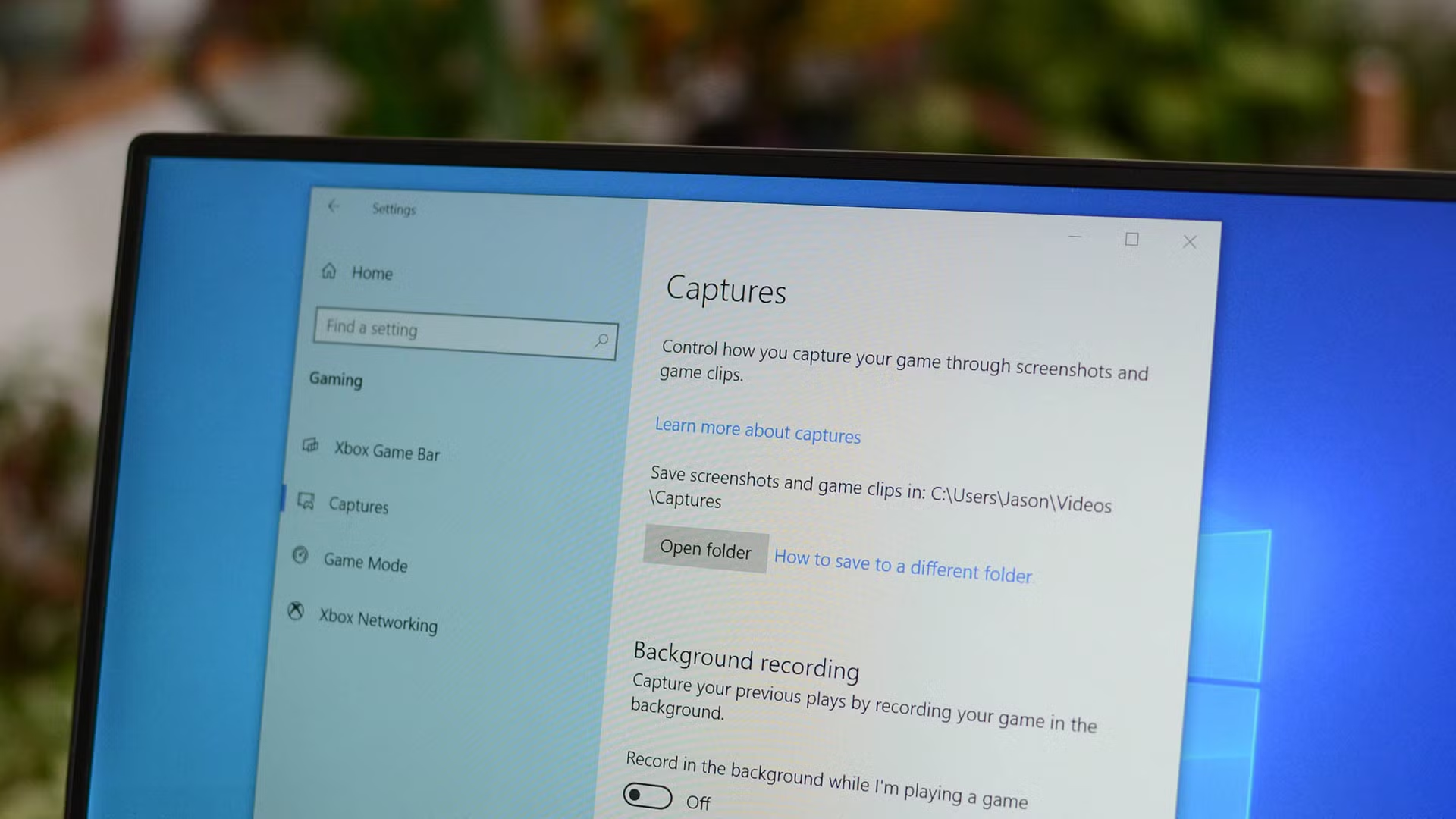

Be the first to comment
Join the argument. No password, just your email or a passkey.