Windows 11 still doesn’t let you auto-schedule dark mode — no sunrise/sunset toggle, no time-based theme switching, no native option in Settings > Personalization > Colors. Microsoft added scheduling for Night Light years ago. It knows how to read your location and adjust based on sunset. But for the actual UI theme?
Nothing. Not in version 24H2. Not in the latest dev channel builds as of November 2026. Just three static options: Light, Dark, or Custom, all manual.
This isn’t a bug. It’s a gap. And it’s been there since day one. Enter Light Switch, a new module inside Microsoft’s free, open-source PowerToys utility.
It launched quietly in PowerToys v0.90, released this week. No press release. No blog post from Microsoft. Just a toggle under System Tools in the PowerToys app.
Light Switch gives you four scheduling modes: Off, Fixed hours (e.g., 6 p.m. To 6 a.m.), Sunset to sunrise (requires Location services), or Follow Night Light. You choose whether the switch applies to Windows UI only, apps only, or both. You can assign a keyboard shortcut, Ctrl+Shift+D by default, to override the schedule on demand.
Setup takes under two minutes if PowerToys is already installed. It works. The taskbar, Start menu, File Explorer, Settings app, all flip reliably at the scheduled time. But it’s not universal.
Some apps ignore Windows theme signals entirely. NoteTab Lite is cited as one example: stays stubbornly light even when Light Switch triggers dark mode system-wide. There’s no per-app override in Light Switch. No way to force a single app into dark while others stay light.
That’s a limitation, not a bug, and it mirrors the underlying Windows API constraint. Microsoft is testing native scheduling in experimental Windows 11 builds, according to How-To Geek. But there’s no launch date, no version number, no ETA. Just traces in the code.
So Light Switch isn’t a stopgap. It’s the only working solution, official, free, zero registry edits, zero third-party installers. PowerToys is available via the Microsoft Store or GitHub. Light Switch requires PowerToys v0.90 or later.
It runs on Windows 11 only, no Windows 10 support. For anyone searching “Windows 11 download” or “Windows 11 key”: this isn’t an OS update. It’s a utility add-on. You don’t need a new license.
You don’t reinstall Windows. You just install PowerToys, and flip one toggle. Light Switch goes live globally with PowerToys v0.90, available now.
SDFiled by The Software Desk
Apps, platforms, operating system releases, security fixes and the features arriving in them.
More from this desk →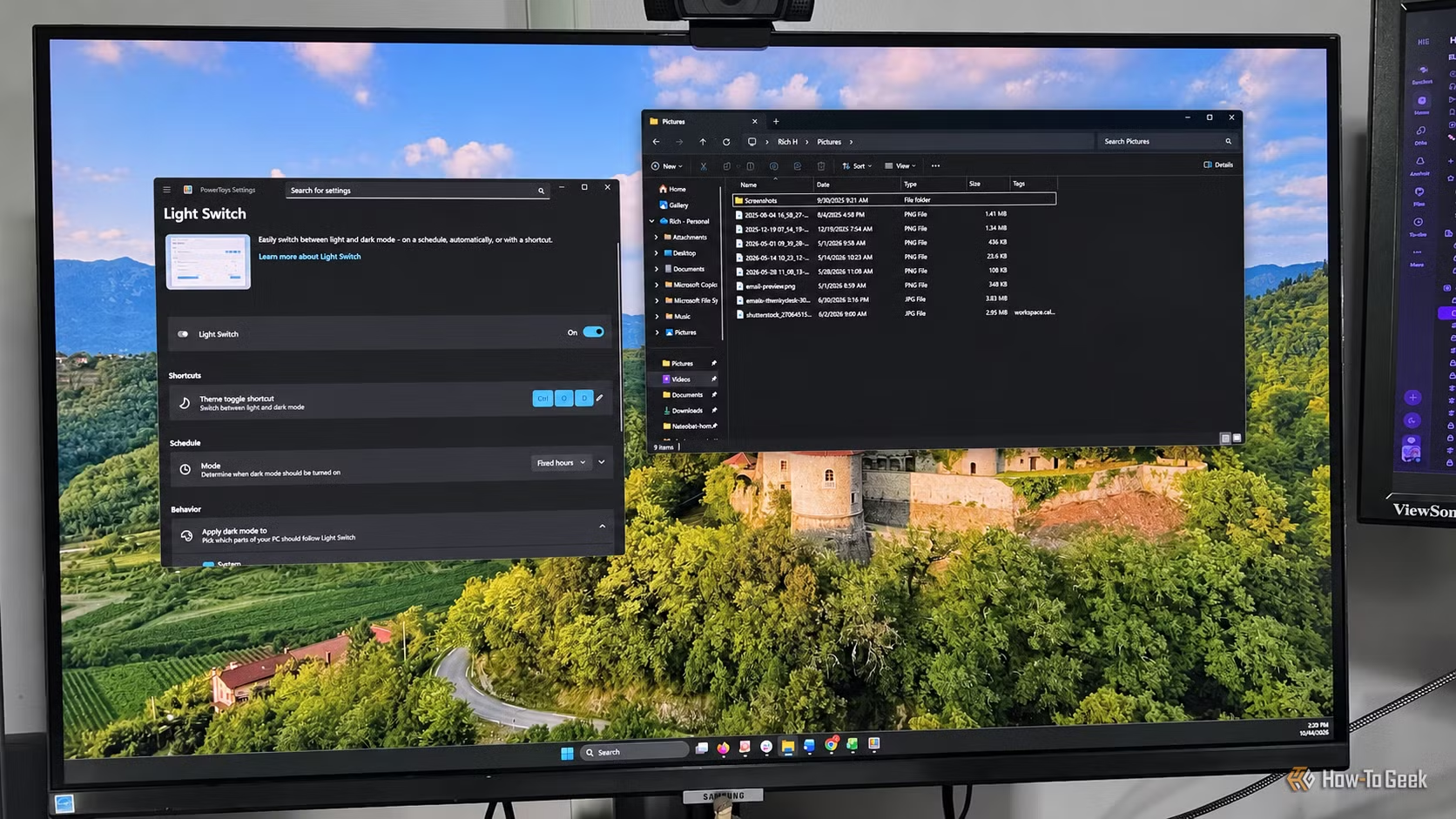

Be the first to comment
Join the argument. No password, just your email or a passkey.