Windows 11 Home vs Pro: $139.99 or $199.99 — and what you actually lose by skipping Pro (2026 guide) Windows 11 Home is the default on nearly every new laptop and desktop sold in the US and India. It’s also the version most people need, and the one Microsoft charges $139.99 for in the US, ₹15,490 in India (as listed on Microsoft’s Indian storefront).
Windows 11 Pro costs $199.99 in the US and ₹19,990 in India. Upgrading from Home to Pro on an existing device costs $99.99 or ₹9,990. The two editions share the same core OS: identical UI, identical gaming performance, identical support for Copilot+, identical driver compatibility, and identical security updates. What differs isn’t speed or polish, it’s control.
Four features separate Pro from Home, and only one of them is a hard requirement for most users. Remote Desktop hosting lets you receive connections. Home can only initiate them. That means if you want to log into your home PC from your office laptop, or access your workstation while traveling, Pro is mandatory.
Third-party tools like RustDesk or Chrome Remote Desktop work, but they’re not built-in, not managed through Windows Settings, and don’t integrate with Windows Hello or domain policies. Group Policy Editor gives admins and power users granular system control, disabling telemetry, tweaking update schedules, locking down USB ports. Home lacks it entirely.
BitLocker full-disk encryption in Pro lets you store recovery keys locally and encrypt secondary drives. Home offers Device Encryption, but only on supported hardware, and ties the key to your Microsoft account by default. Windows Sandbox, a disposable, isolated virtual machine for testing software, is Pro-only. None of these matter if you stream Netflix, write reports in Word, attend Zoom calls, or play Cyberpunk 2077.
And if you’re unsure whether you need them, you almost certainly don’t. Microsoft doesn’t push Pro at retail. OEMs ship Home unless the device targets business buyers, think Dell Latitude or HP EliteBook lines. You’ll find Pro preinstalled on those, often bundled with volume licensing. But for personal builds, upgrades, or clean installs, the choice is yours, and the price gap is real: $60, or ₹4,500.
The upgrade path is frictionless. Go to Settings > System > Activation, click ‘Go to Store’, and complete the purchase. No reinstall. No data loss.
No app removal. So who should pay extra? Not students, remote workers using Teams and OneDrive, or casual creators editing photos in Lightroom. Yes to IT staff managing local devices, freelancers handling client data on laptops, developers testing untrusted code, or anyone who regularly tweaks Windows beyond the Settings app.
Microsoft’s official stance hasn’t changed: Pro isn’t better, it’s different. And in 2026, that difference still comes down to one question: Do you need to host a Remote Desktop session? If yes, Pro. If no, Home covers it all, for $60 less.
CDFiled by The Computing Desk
Laptops, desktops, processors, graphics cards and the operating systems that run on them.
More from this desk →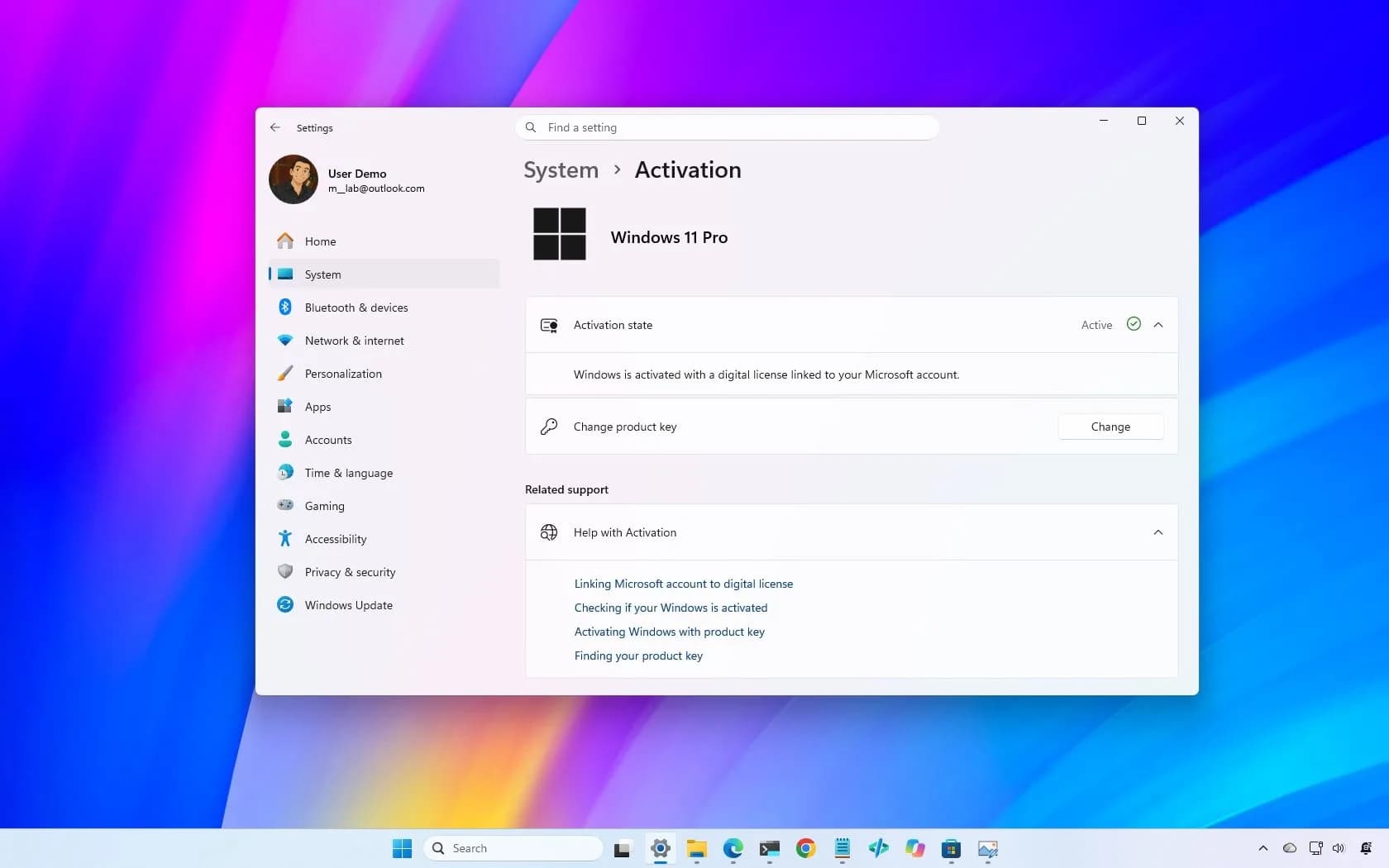

Be the first to comment
Join the argument. No password, just your email or a passkey.