Windows 11 Insider Preview build 26340.10013 introduces Remote Lock — a new enterprise security feature that lets IT administrators instantly sign out all users and disable local sign-in on a lost or stolen company laptop. It’s live now for testing in the Windows Insider Program’s Beta Channel. No wipe. No re-enrollment.
Just a hard stop at the lock screen. The device stays enrolled in Microsoft Intune. All user data, installed apps, and BitLocker status remain untouched. So when the lock is lifted, the employee resumes exactly where they left off.
That’s the pitch: less panic, more precision. Remote Lock isn’t a replacement for BitLocker, Microsoft says so outright. It won’t block booting from USB, won’t disable Safe Mode, and won’t prevent physical drive removal. If the laptop isn’t already encrypted, Remote Lock alone won’t keep data safe from someone with a screwdriver and a SATA reader.
So organizations still need full-disk encryption enabled, and this feature assumes they do. The locked device shows only a static “Device Locked” message. No password prompt. No biometric fallback.
No workarounds. Just silence until the admin lifts the lock via Intune. That’s the trade-off: stronger immediate containment, zero local recovery paths. Remote Lock joins other Intune-backed controls like remote wipe and conditional access, but sits between them.
Wipe deletes everything. Lock preserves everything, while shutting down access completely. It’s aimed squarely at Windows 11 laptops managed by businesses using Microsoft Endpoint Manager. Not consumer devices.
Not personal accounts. Not Azure AD standalone setups, this requires Intune enrollment. Availability beyond the beta channel depends on Microsoft’s validation timeline. No general release date has been announced.
But for companies already running Windows 11 Pro or Enterprise on managed devices, Remote Lock could become part of standard incident response within months, assuming no major bugs surface in testing.
CDFiled by The Computing Desk
Laptops, desktops, processors, graphics cards and the operating systems that run on them.
More from this desk →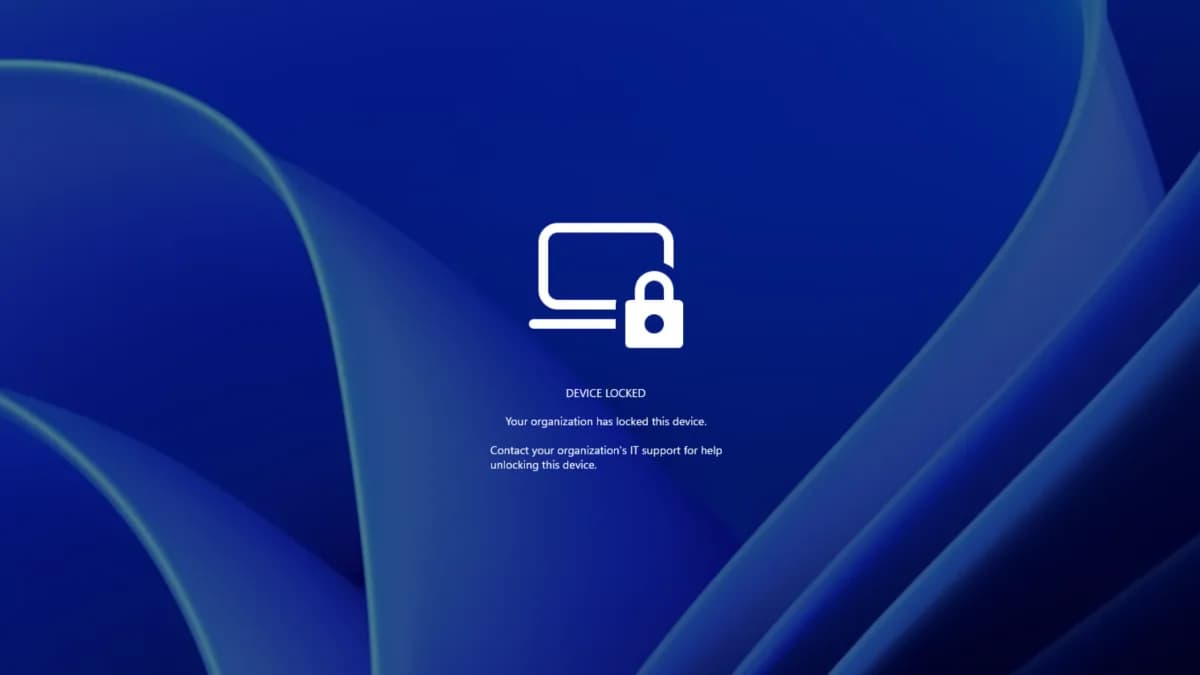
Be the first to comment
Join the argument. No password, just your email or a passkey.