Google has started pushing a redesigned Gemini overlay to Android phones generally, not just the Pixel 11 series where the look first showed up. The change arrives through a routine Google app update rather than a system software release, which means it should reach a much wider set of devices without anyone needing new hardware.
The update applies Google's Neural Expressive design language to the Gemini overlay, the floating interface that pops up when you summon the assistant. 9to5Google first spotted the rollout, and Android Authority confirmed the same animation showing up after updating the Google app.
The headline change is cosmetic but hard to miss. When the overlay opens, it now plays a sparkling animation with small dots scattered around the "Ask Gemini" text box before settling into its resting state. Once that animation finishes, the text box itself carries shaded edges that give it a subtle three-dimensional look, instead of sitting flat against the background.
That shading effect is more noticeable in dark mode, where the contrast between the shaded edges and the darker background makes the depth stand out. In light mode, Android Authority notes the box looks close to how it always has, so the practical difference there is smaller.
None of this changes what Gemini can actually do. There's no new model version, no new capability and no change to how the assistant answers a prompt. It's an interface refresh, the kind of polish pass Google has been applying across its AI products lately. Circle to Search and Gemini Live have both picked up new animations lately, part of what looks like a broader push to make Google's AI tools feel more alive and less like static text boxes.
Getting the new look doesn't require a beta enrollment or a developer flag. Opening the Play Store and updating the Google app to its latest version should be enough. If the animation doesn't show up right away, Android Authority suggests force-stopping the Google app and reopening it, which can nudge a stalled update into taking effect.
There's no confirmation yet on exactly which Google app version carries the change or how long the server-side rollout will take to reach every device, since these updates tend to arrive in waves rather than all at once. Anyone who updates and still sees the old flat text box likely just needs to wait for their region or device group to get the push, or try the update again in a day or two.
SDFiled by The Software Desk
Apps, platforms, operating system releases, security fixes and the features arriving in them.
More from this desk →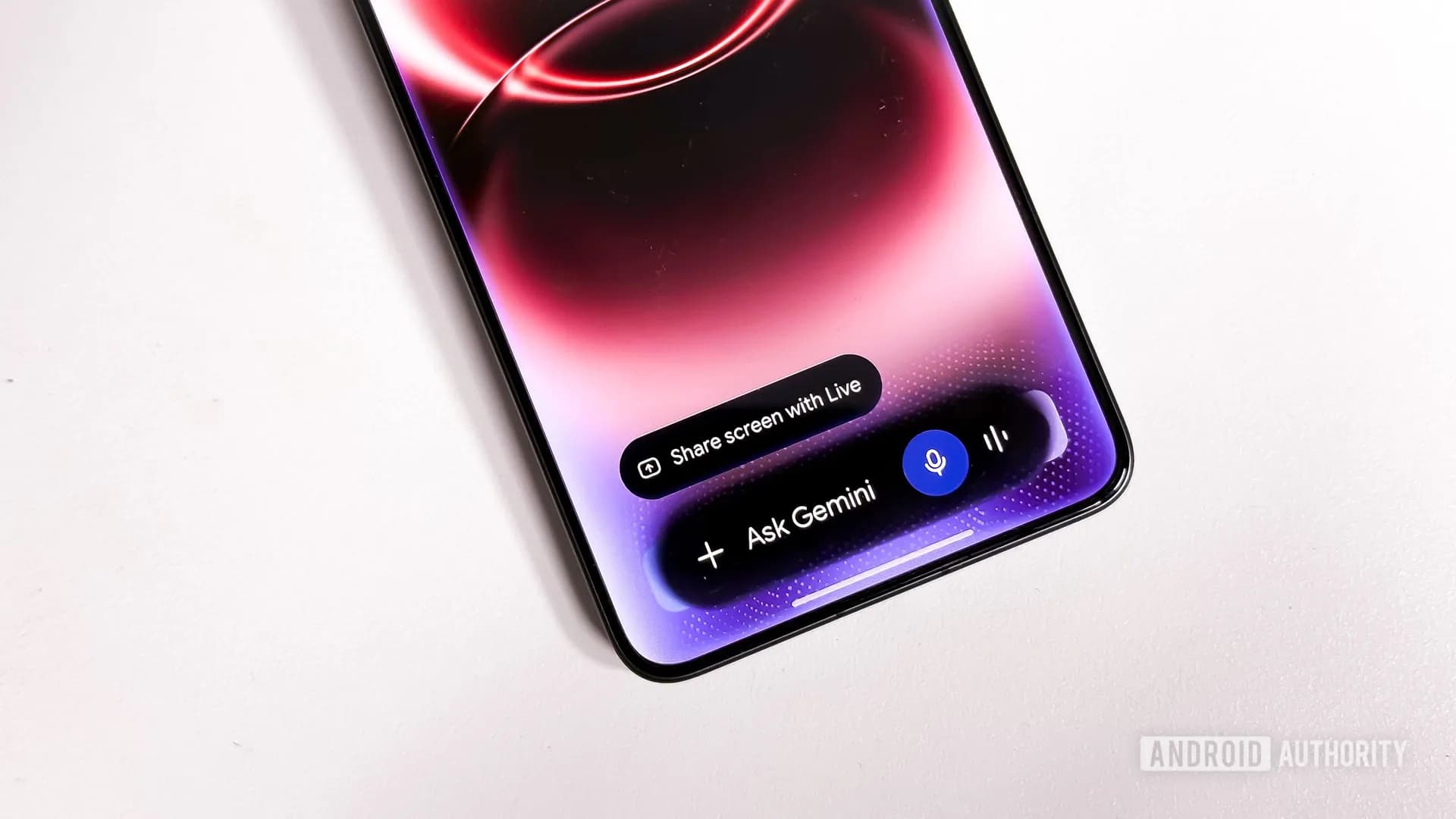
Be the first to comment
Join the argument. No password, just your email or a passkey.