Most people open Google Maps, type an address and go. But the app has spent years quietly stacking on tools that rarely show up unless you go looking for them, according to a detailed rundown published by XDA Developers on Sunday.
The outlet's writer, a self-described longtime Google Maps user, says several core features only surfaced after years of casual use, which raises the question of how many people are using a fraction of what the app can actually do.
Lists go well beyond Favorites
Anyone who has starred a restaurant or saved a hotel has technically used Google Maps Lists already. But the feature goes further: users can build their own custom collections from the You tab by tapping New List, naming it and adding places as they find them. Saved spots pin automatically to the map, and lists can carry custom icons, letting someone sort cafes, train stations and shopping separately at a glance. Lists can also hold notes on individual places and be shared with other people, which makes them useful for trip planning with a group.
Arrive By flips the usual directions request
Instead of guessing when to leave for a 3 p.m. Meeting and padding in extra time for traffic, Google Maps can work the problem backward. Entering a destination, tapping Directions, then the three-dot menu and selecting "Set depart or arrive time" lets a user switch to Arrive and plug in the time they need to show up. The app then estimates travel time against expected traffic and tells them when to leave.
Popular Times shows crowds before you show up
Searching for a cafe, restaurant or mall often surfaces a Popular Times graph built from aggregated, anonymized location data across Google Maps users, showing typical busy and quiet hours. Where enough data exists, the same graph can reflect real-time crowding rather than just historical patterns, and some listings add estimated wait times and typical visit length. Users can flip between days of the week to plan ahead, though the estimates are not always precise.
Know Before You Go leans on Gemini
One of the newer additions, Know Before You Go, uses Google's Gemini AI to scan reviews and other web sources for a given restaurant, hotel or venue and condense them into a short list of practical tips, covering things like where to park or when to expect the longest waits.
None of these features are new arrivals on Google's roadmap, and Google has not issued a fresh announcement tied to them. They have simply been sitting inside an app that most people treat as a search bar for driving directions. The XDA piece lists two more features beyond these four, suggesting there is still more buried in the settings menu for anyone willing to dig.
SDFiled by The Software Desk
Apps, platforms, operating system releases, security fixes and the features arriving in them.
More from this desk →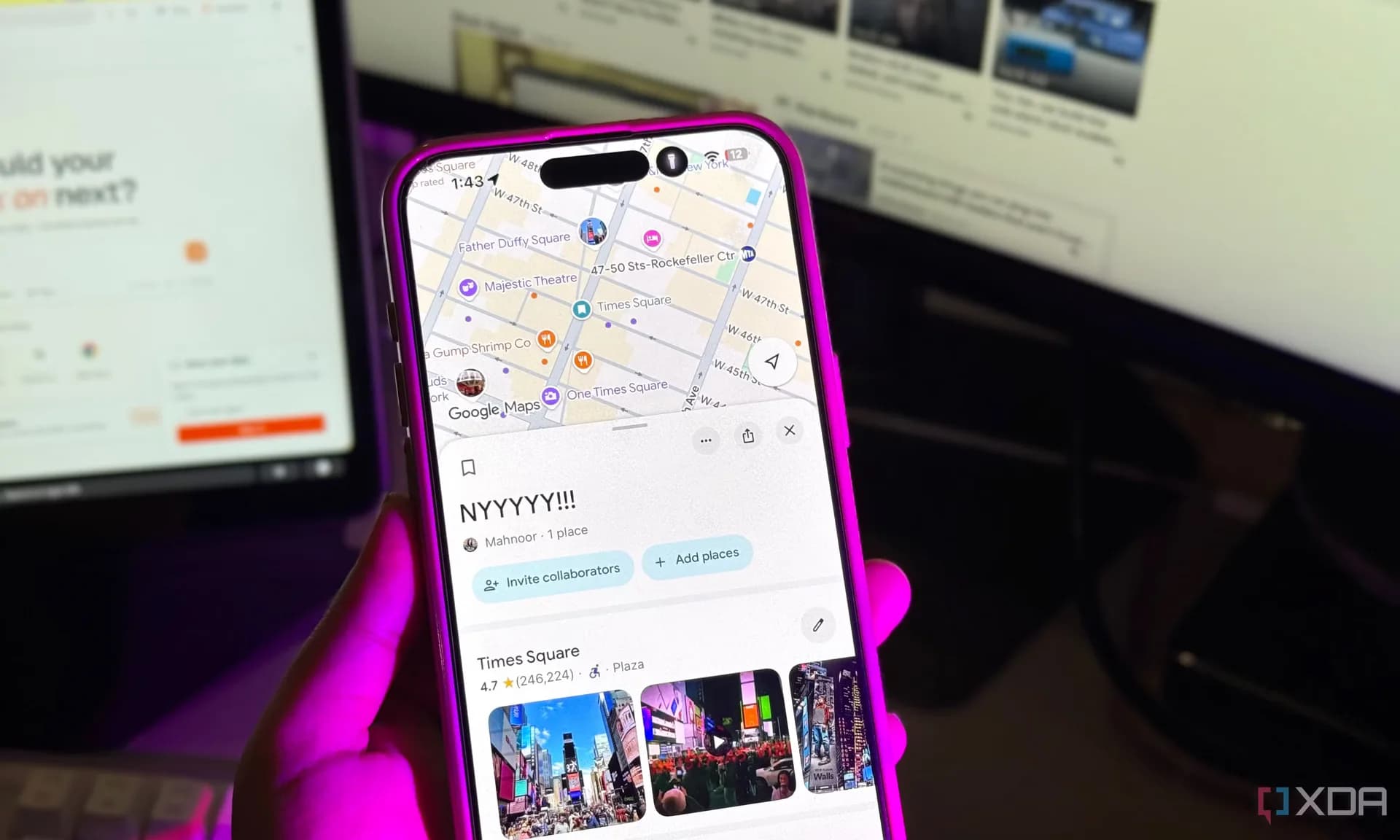

Be the first to comment
Join the argument. No password, just your email or a passkey.