Google Messages is getting a new layer of scam protection aimed at the texts that don't look dangerous until it's too late. The company has started rolling out an Enhanced protection mode that leans on its Gemini AI models to catch scams that unfold slowly, not just the obvious ones.
The app already flags some suspicious texts. But plenty of scams don't ask for money in the first message. They start with small talk from an unknown number, build some trust over several exchanges, and only then push toward a fake invoice, a bogus delivery fee or a request for personal details. Enhanced protection mode is built to catch that pattern by having Google's cloud-based Gemini models review conversations with unfamiliar senders for signs of a longer con.
To handle the privacy questions that come with letting an AI model read your texts, Google says the analysis runs through something it calls Private AI Compute, a processing environment where data stays encrypted and is inaccessible to anyone, including Google itself, while it's being scanned. The feature is also opt-in rather than something switched on by default.
Alongside the conversation analysis, Google Messages is adding sharper link checking. Unfamiliar links sent by unknown contacts get screened for danger signs using Gemini Nano, a smaller on-device version of the model, combined with real-time web signals. The idea is to catch freshly built scam sites that haven't been blacklisted anywhere yet, since a link that was safe yesterday can be a phishing page today.
How to find it
The setting lives inside the app itself. Open Google Messages, tap your profile picture, and look for the new protection toggle under Messages settings. Google is rolling the feature out in phases, so the option may not show up on every device yet, and the exact menu wording could vary by phone.
That staggered rollout is worth keeping in mind if you check your settings and don't see anything new. Older devices in particular may take longer to get features like this, even though they're often the phones most likely to be targeted by scam texts in the first place, since they tend to run older software with fewer built-in protections already.
Google hasn't said when Enhanced protection mode or the upgraded link checker will reach every Android phone running Google Messages, or whether either feature will come to iPhone users texting over RCS. The company also hasn't detailed how it will communicate to users which protections are active on their device, something that matters for a feature you have to find and switch on yourself rather than one that just arrives already running.
For now, the rollout is the next thing to watch. If Google widens availability quickly and makes the settings easy to locate, this becomes a meaningful backstop against the kind of patient, multi-message scams that slip past spam filters. If it stays buried in a submenu on a handful of phones, it will help far fewer people than it could.
SDFiled by The Software Desk
Apps, platforms, operating system releases, security fixes and the features arriving in them.
More from this desk →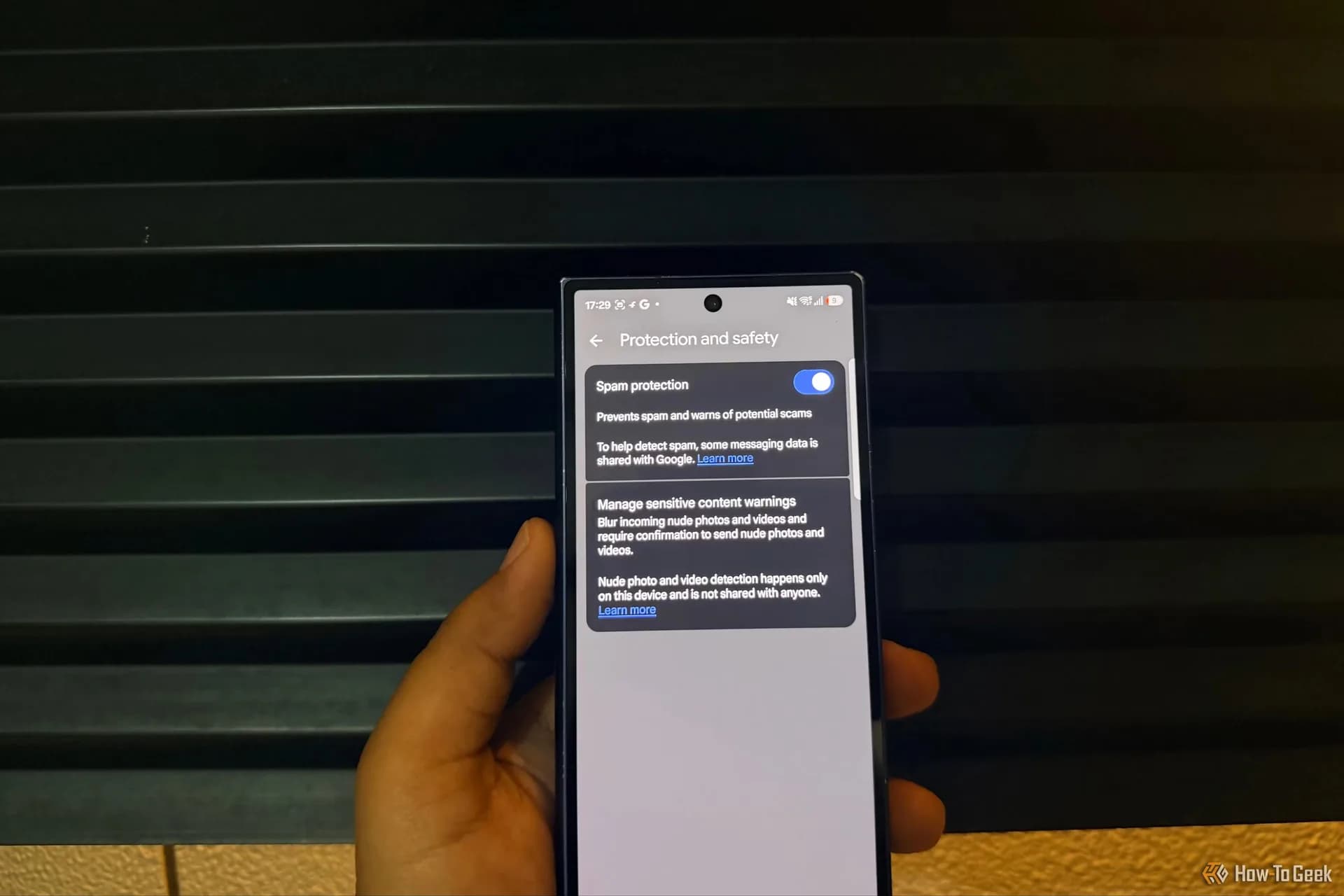

Be the first to comment
Join the argument. No password, just your email or a passkey.