Google's Pixel Launcher has long set the benchmark for clean Android software, relying on dynamic theming, restrained typography, and a clutter-free app drawer. Yet it remains notoriously rigid. Google keeps the desktop grid locked down, glues an unmovable search bar to the dock, and provides no way to turn off or fully customize the At a Glance widget.
Lawnchair steps into that void. The established, free, open-source Android launcher builds on the same Android Open Source Project foundation that underpins Google's own interface. The result is a setup that looks virtually identical to stock Pixel software, but hands control over layouts back to the user without charging a subscription fee.
Where the Pixel Launcher forces a fixed icon structure, Lawnchair unlocks granular adjustments. Users can dial in the precise row and column count on the main home screen, inside individual folders, and throughout the app drawer. Folders scale up to five rows and columns when tapped. The dock can also be configured with extra rows independent of the primary screen grid, complete with custom dock background opacity and accent styling.
Google's default dock search bar forces all user queries through its proprietary engine. Lawnchair decouples that dependency. Users can keep Google search, switch to Pixel Search, route queries to YouTube, or connect third-party options including Firefox, Brave, and Wikipedia. If you want an entirely empty home screen base, you can switch off the search bar altogether.
That search bar can also integrate directly into the app drawer. From there, users can look up apps, on-device files, saved contacts, and web results without returning to the main desktop.
Widget handling offers similar freedom. Lawnchair bundles an At a Glance clone capable of displaying weather updates, battery percentage, time, and currently playing media. Unlike Google's stubborn implementation, users can adjust the visual theme of the card and select exactly which data sources show up. Basic quality-of-life shortcuts, such as double-tapping blank screen space to put the handset to sleep, work right out of the box.
The Open Source Tradeoffs
Lawnchair is not entirely free of software friction. App folder previews on the desktop remain locked to single-icon dimensions rather than expanding dynamically before tap. Built-in gesture shortcuts are limited to basic actions, and select software icons, such as Google Health, can occasionally refuse to adopt dynamic palette theming.
Getting Google's side-swipe news feed working can also require extra legwork. Rather than pulling the utility directly from a Google Play Store download, enabling the companion feed panel generally requires sideloading an APK installer packaged on GitHub.
Those compromises remain small for users frustrated by heavily skinned OEM interfaces or Google's locked settings. Because it strips out background clutter and avoids subscription tiers, Lawnchair provides a fast, lightweight bridge to the Pixel experience for any Android phone.
SDFiled by The Software Desk
Apps, platforms, operating system releases, security fixes and the features arriving in them.
More from this desk →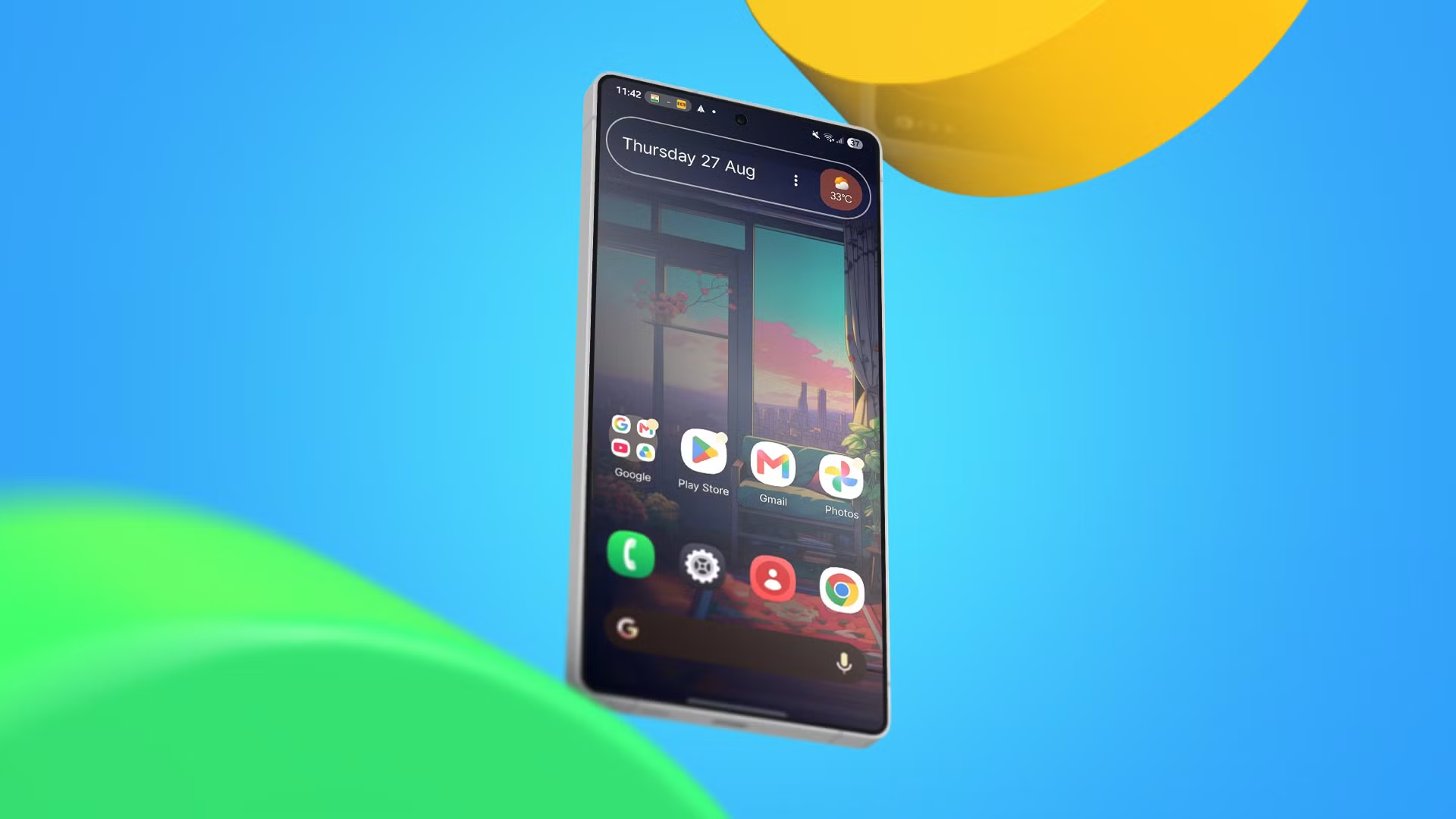
Be the first to comment
Join the argument. No password, just your email or a passkey.