That small triangle with tiny arrows inside, sitting uninvited in your Galaxy’s status bar? It’s not a system alert, a carrier notification, or a sign something’s broken. It’s Samsung’s Data Saver mode — active, and actively throttling background mobile data usage. And unless you turned it on deliberately, there’s a good chance someone else did: a curious toddler, a mis-tapped setting, or an accidental swipe during a quick settings dive.
How-To Geek confirmed the icon appears when Data Saver is toggled on, and only on mobile data connections, not Wi-Fi. You’ll see it on Galaxy S25, S26, S27, and older models running One UI 6.1 through One UI 9.5, across US and Indian markets. It does not appear on stock Android or Pixel devices.
The icon is Samsung-specific. It’s also easy to confuse: unlike stock Android’s circular + symbol for Data Saver, Samsung uses a yellow triangle, the same shape used for road warnings in the US and India. That visual cue triggers alarm, not clarity. Which is exactly why users are searching “Samsung Galaxy” + “triangle icon” in droves.
Data Saver doesn’t kill your connection. It restricts apps to foreground-only mobile data. Background sync, push notifications, email fetching, cloud backups, all pause until you open the app. Messaging may still work if SMS-based, but WhatsApp or Telegram won’t refresh unless you’re actively viewing them.
Gmail won’t fetch new mail. Weather widgets won’t update. The effect is real, and immediate. But it’s reversible in under 10 seconds.
Go to Settings > Connections > Data usage > Data saver, then flip the switch off. The triangle vanishes from the status bar the moment the setting takes effect. No reboot needed. For users who do need it, say, on a limited-data plan, while roaming in Europe or Southeast Asia, or aboard a cruise ship where cellular charges run steep, Data Saver is genuinely useful.
Samsung lets you whitelist apps: tap “Apps that can always use data” under the same menu, then toggle exceptions like Messages, Phone, or a specific banking app. That way, critical functions stay live while everything else sleeps. There’s no global rollout date, no firmware version tied to the icon’s appearance, it’s been part of One UI for years, but rarely explained in Samsung’s own setup guides or support pages.
Its sudden visibility now isn’t due to a new update. It’s due to more people noticing it, and more people needing to understand what it means before they assume their phone is malfunctioning. Data Saver remains off by default on all new Galaxy devices sold in the US and India.
If it’s on, someone turned it on. Now you know how to turn it back off.
SDFiled by The Software Desk
Apps, platforms, operating system releases, security fixes and the features arriving in them.
More from this desk →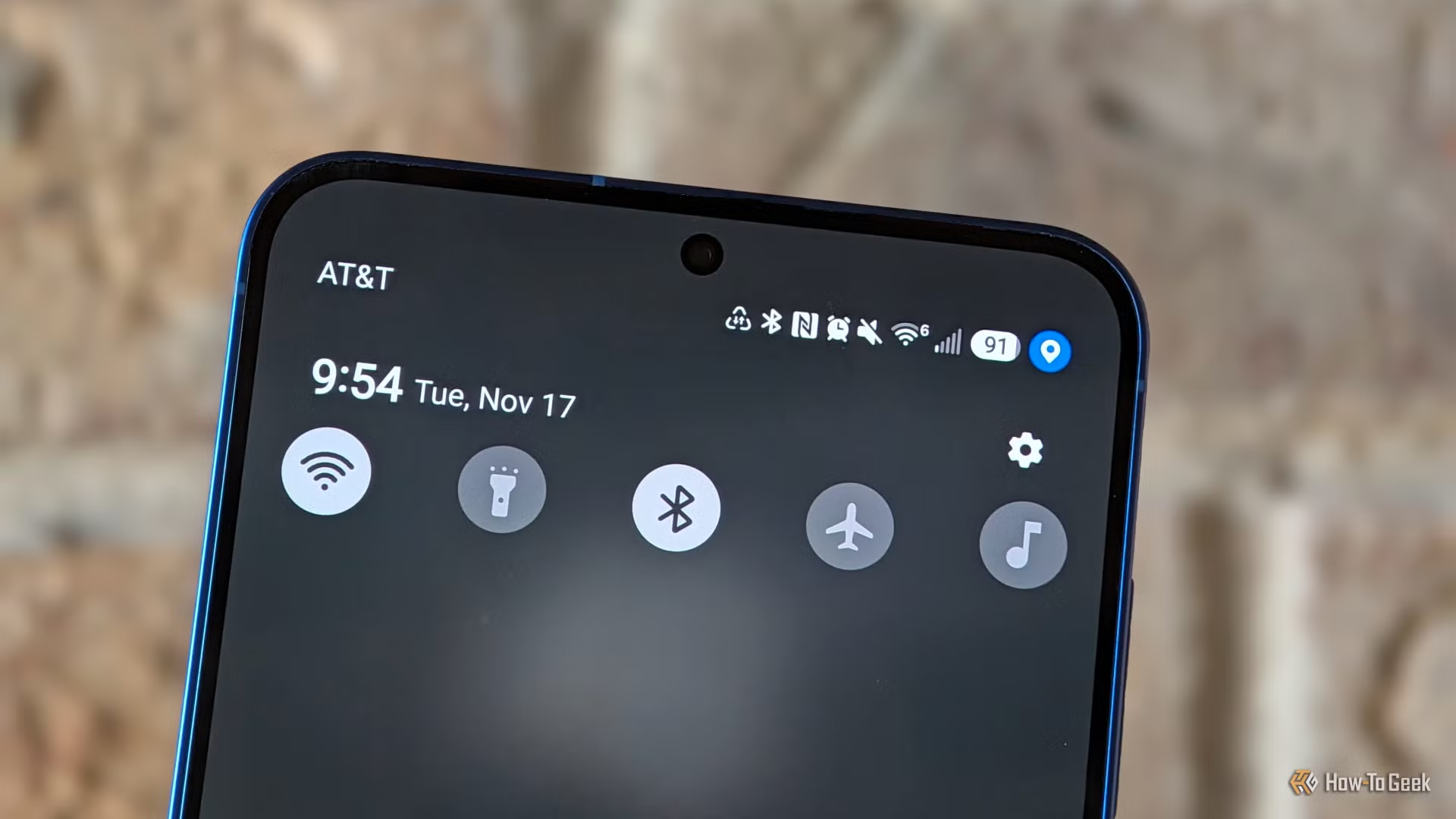
Be the first to comment
Join the argument. No password, just your email or a passkey.