Android Auto doesn’t have SharePlay. It doesn’t support Live Activities. It can’t show Tapbacks for messages. And it doesn’t surface pinned conversations from your phone’s Messages app.
Those four gaps — detailed in a How-To Geek piece published October 15, 2026, aren’t theoretical complaints. They’re real usability differences that affect how people interact with their cars, music, deliveries, and texts while driving.
SharePlay lets passengers join a shared Apple Music queue via QR code. No Apple Music subscription required for them, only the driver. Android Auto has no built-in equivalent. Passengers can’t add songs to a shared queue without switching apps or handing over control.
Live Activities bring real-time updates, food delivery status, flight gate changes, live sports scores. Directly to the car’s dashboard. The feature requires iOS 26 and app support, but when it works, it eliminates the need to glance at a phone. Android Auto offers no parallel integration.
Tapbacks let drivers react to messages with a single tap: thumbs-up, heart, checkmark. No dictation. No typing. Just acknowledgment. Android Auto supports voice replies and text input, but not quick visual reactions inside the Messages interface.
Pinned conversations in iOS Messages appear automatically in CarPlay. That means your most-used chats, partner, parent, caregiver. Sit at the top of the list every time you open messaging in the car. Android Auto shows recent threads, but no pinning logic carries over from the phone.
None of these are announced features. None are in beta. None are confirmed for an upcoming Android Auto update. They’re observations, grounded in actual usage. About what’s missing today.
The piece isn’t a critique of Android Auto’s core functionality. It notes Android Auto “has plenty of tricks of its own” and calls the author’s Galaxy setup “happy.” But it also names four concrete omissions that matter to real people: couples arguing over music, parents tracking dinner deliveries, commuters reacting to reminders, and caregivers coordinating pickups.
That specificity matters. This isn’t about vague ‘ecosystem lock-in’ or ‘design philosophy.’ It’s about whether your spouse can queue up a song without unlocking their phone. Whether you can see if your pizza is five minutes away without taking your eyes off the road. Whether you can acknowledge a text with one tap instead of a dictated sentence.
Google has never said it plans to add any of these. Nor has Apple said it will open SharePlay or Live Activities to non-iOS devices. So for now, the divide remains: CarPlay delivers them. Android Auto does not.
What happens next? Nothing official. No roadmap. No developer preview. Just a growing list of small, daily friction points, documented, named, and left unaddressed.
SDFiled by The Software Desk
Apps, platforms, operating system releases, security fixes and the features arriving in them.
More from this desk →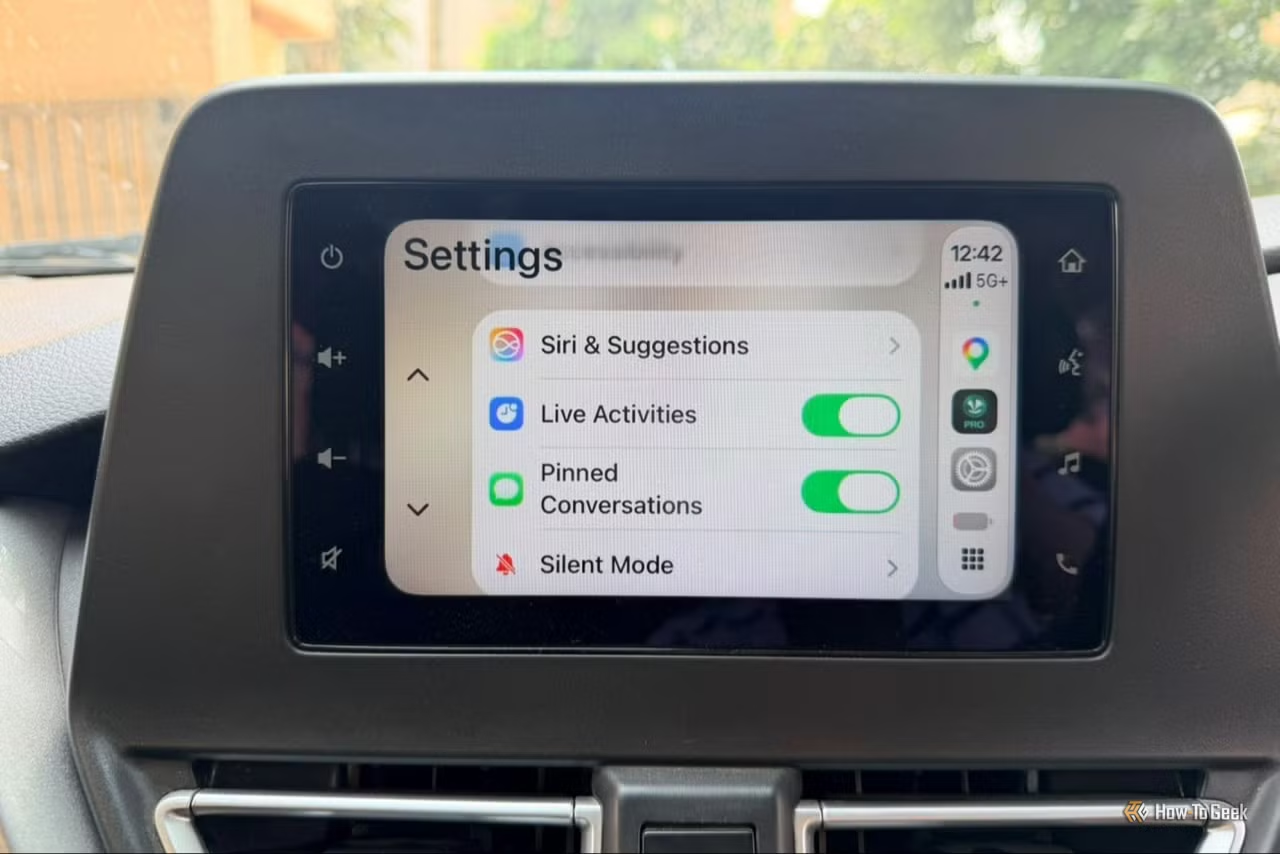
Be the first to comment
Join the argument. No password, just your email or a passkey.