Google is giving Googlebooks a much-needed push toward desktop utility. Chrome 155, now rolling out across the platform, allows owners to install any website as a standalone application, whether or not the site developer built dedicated web app support.
Until now, Chrome on Googlebooks handled web shortcuts with annoying rigidity. If a domain lacked a proper web application manifest, the browser refused to let you install it as an isolated program, opening it as a standard browser tab instead. Google previously described that limitation as an intentional design choice. User pushback finally changed minds in Mountain View.
With Chrome version 155.0.8059.79, that restriction disappears. You can now turn any webpage into a dedicated app that launches in its own distinct window. For anyone who set up basic tab shortcuts in earlier builds, Google recommends deleting those older links first and reinstalling the pages under the new system to get proper windowing.
Better Launcher and System Integration
These newly packaged web shortcuts do not behave like stripped-down mobile bookmarks. Once saved, they land straight in the Googlebook app launcher, ready to be pinned directly to your homescreen or desktop taskbar.
Because they still operate on the underlying Chrome engine, these windowed apps do not live in an isolated silo. They stay linked to your main profile. Your active Google Account logins, stored browser cookies, site permissions, and desktop chrome extensions carry straight over into the standalone instance. That means password managers and utility extensions keep working without forcing you back into a crowded tab bar.
Settings Drops the Fullscreen Mobile Look
The update also fixes an interface quirk that lingered from the platform's Android roots. Opening Chrome Settings no longer takes over the entire display with a mobile-style fullscreen overlay.
Settings now loads inside an independent tab, mirroring the behavior on traditional desktop systems. That sounds minor until you actually need to fix a site permission or adjust cookie blocking while looking at the webpage causing the problem. Running settings in a tab lets you switch back and forth without losing your place.
The update is available now through the Google Play Store on Googlebooks, with version 155.0.8059.79 reaching devices over the air.
CDFiled by The Computing Desk
Laptops, desktops, processors, graphics cards and the operating systems that run on them.
More from this desk →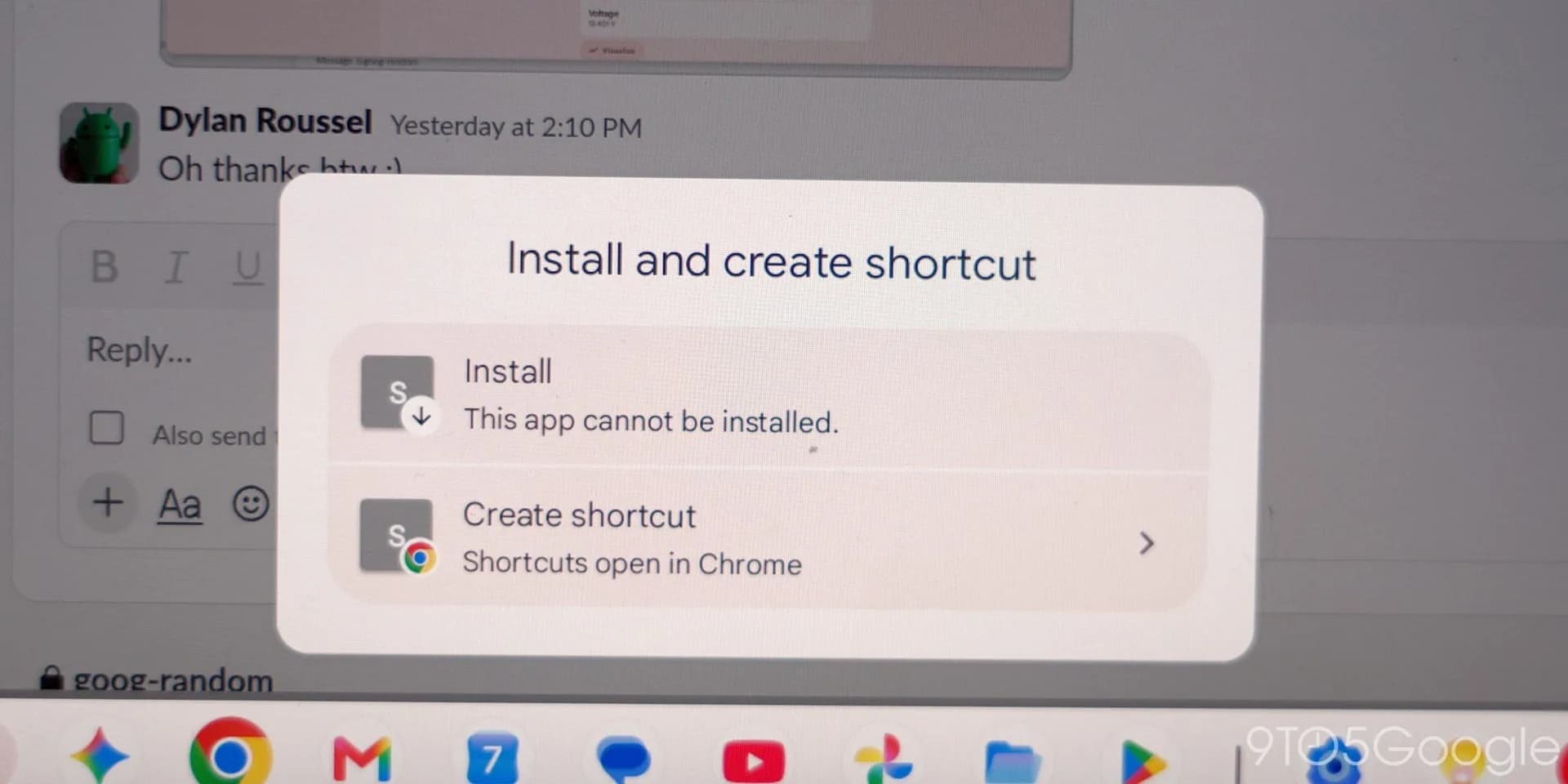
Be the first to comment
Join the argument. No password, just your email or a passkey.