Windows 11 26H2 and 25H2 now ship KB5132061 — the November 2026 Patch Tuesday update, with File Explorer right-click menu customization, Cloud Rebuild, and Xbox mode refinements. It’s live globally as of November 10, 2026, for devices running Windows 11 versions 25H2 (build 26200.9974), 26H2 (build 26300.9974), and also appears in build 26100.9974 per Microsoft’s official support page.
No new ISO or standalone Windows 11 download is required: this is a mandatory security update delivered through Windows Update, not a feature release or full OS installer. So if you’re searching “Windows 11 download” or “Windows 11 26H2”, this isn’t it, but if you’re on 25H2 or 26H2, KB5132061 is what you’ll get next time Windows Update checks in.
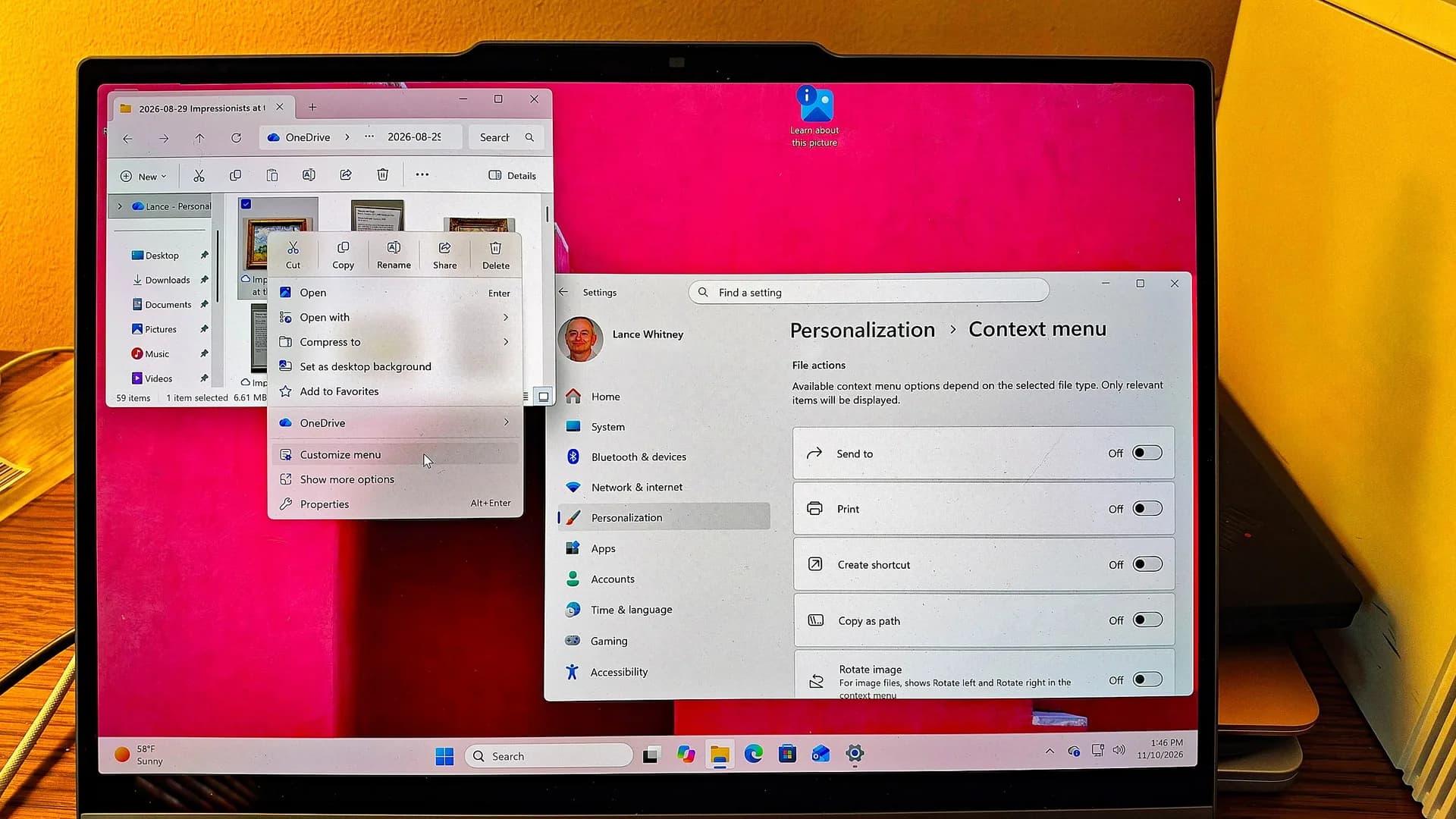
It includes all changes from the October 28 optional preview KB5127936, meaning some features arrive gradually, not every PC sees them immediately. The most immediate change is the redesigned File Explorer context menu. Click “Customize menu” at the bottom, and you land in Settings > Personalization > Context menu. There, users can toggle built-in commands like Send to and Create shortcut, add Print, switch Cut/Copy/Paste/Rename/Delete/Share from icons to text labels, reposition Properties to the bottom, and control third-party extensions, showing them inline, tucking them into a submenu, or hiding them entirely.
Submenu placement also improves performance: those extensions load only when the submenu opens. Cloud Rebuild replaces the need for USB recovery media. Under Settings > System > Recovery > Rebuild PC, it boots into WinRE and reinstalls Windows 11 using a fresh image and drivers pulled directly from Windows Update.
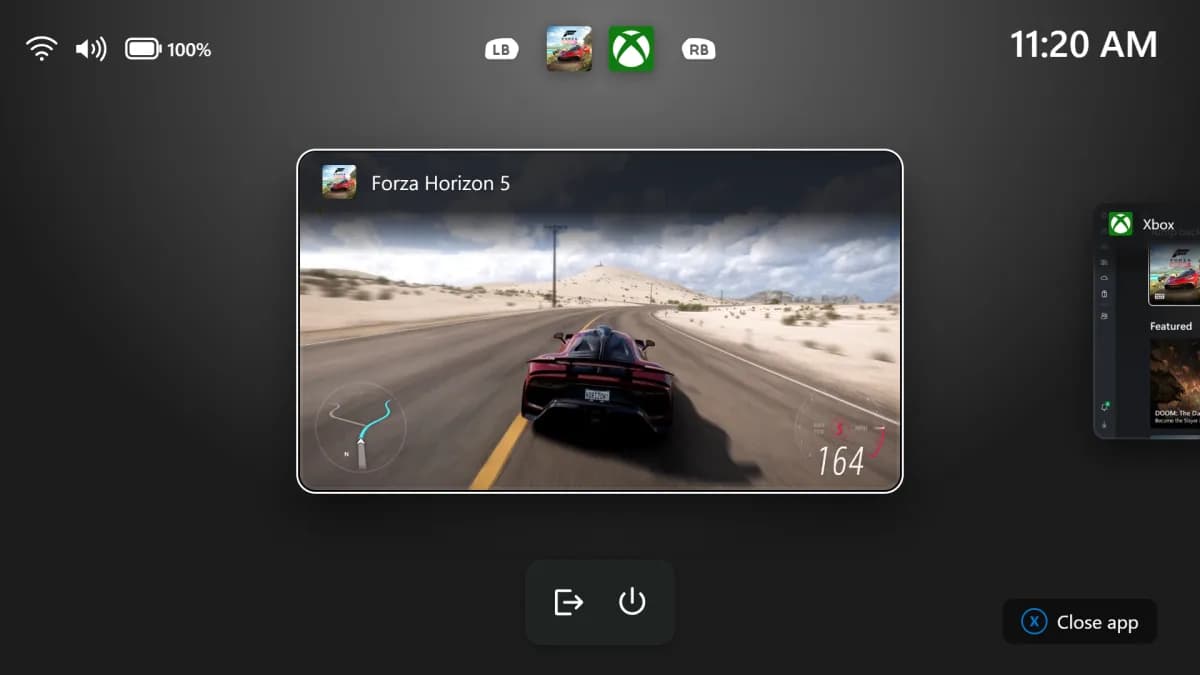
It works even when Windows won’t start, and includes an option to securely erase the drive first. Xbox mode gets a Gaming Task View refresh: a bottom navigation bar now offers Exit to Desktop, Shut down, and Restart. Magnifier supports independent zoom levels per monitor. Modern standby PCs now hibernate less frequently above 80% battery, and more aggressively below 10%.
A bug that disabled Smart App Control’s toggle after October’s update has been fixed. Separately, an “App updates” page has reappeared in a 26H2 preview build, part of Microsoft’s May 2025 plan to unify app updates via the Windows Update orchestration platform. Developers can register MSIX, APPX, and Win32 apps using Windows Runtime APIs or PowerShell, letting Windows schedule installs around user activity, battery, and network conditions, and log history in Settings.
But it’s not functional yet. Windows Latest confirmed no registered app providers appeared on its test device. This is not a new Windows 11 version. It’s not a public beta.
It’s not a download you grab from microsoft.com/windows11. It’s Patch Tuesday, and it’s rolling out now.
CDFiled by The Computing Desk
Laptops, desktops, processors, graphics cards and the operating systems that run on them.
More from this desk →
Be the first to comment
Join the argument. No password, just your email or a passkey.